Big-church tools, not a big-church price, but a small-church price.

Small churches deserve great tools too.

Scheduling, setlists, kids check-in, groups, chat and your church website, in one place. Volunteers open one app and know exactly where they're serving.

  • Free plan stays free
  • No card to sign up
  • Starter modules free for 4 months, at trial limits
Real app. Used by real churches.
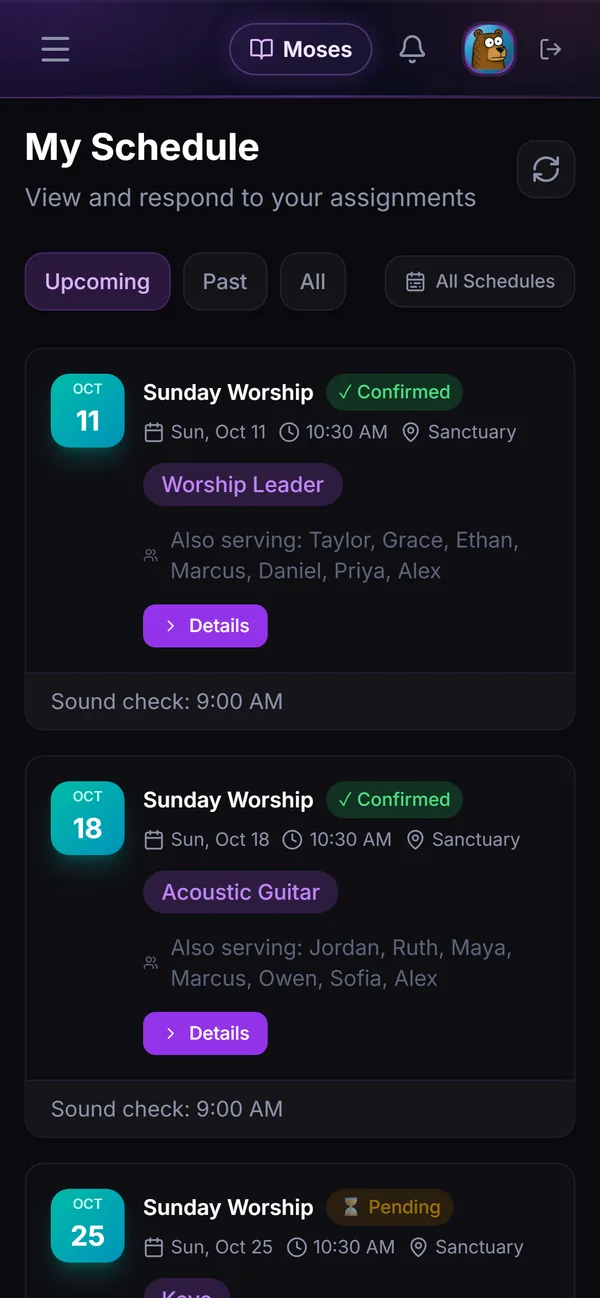
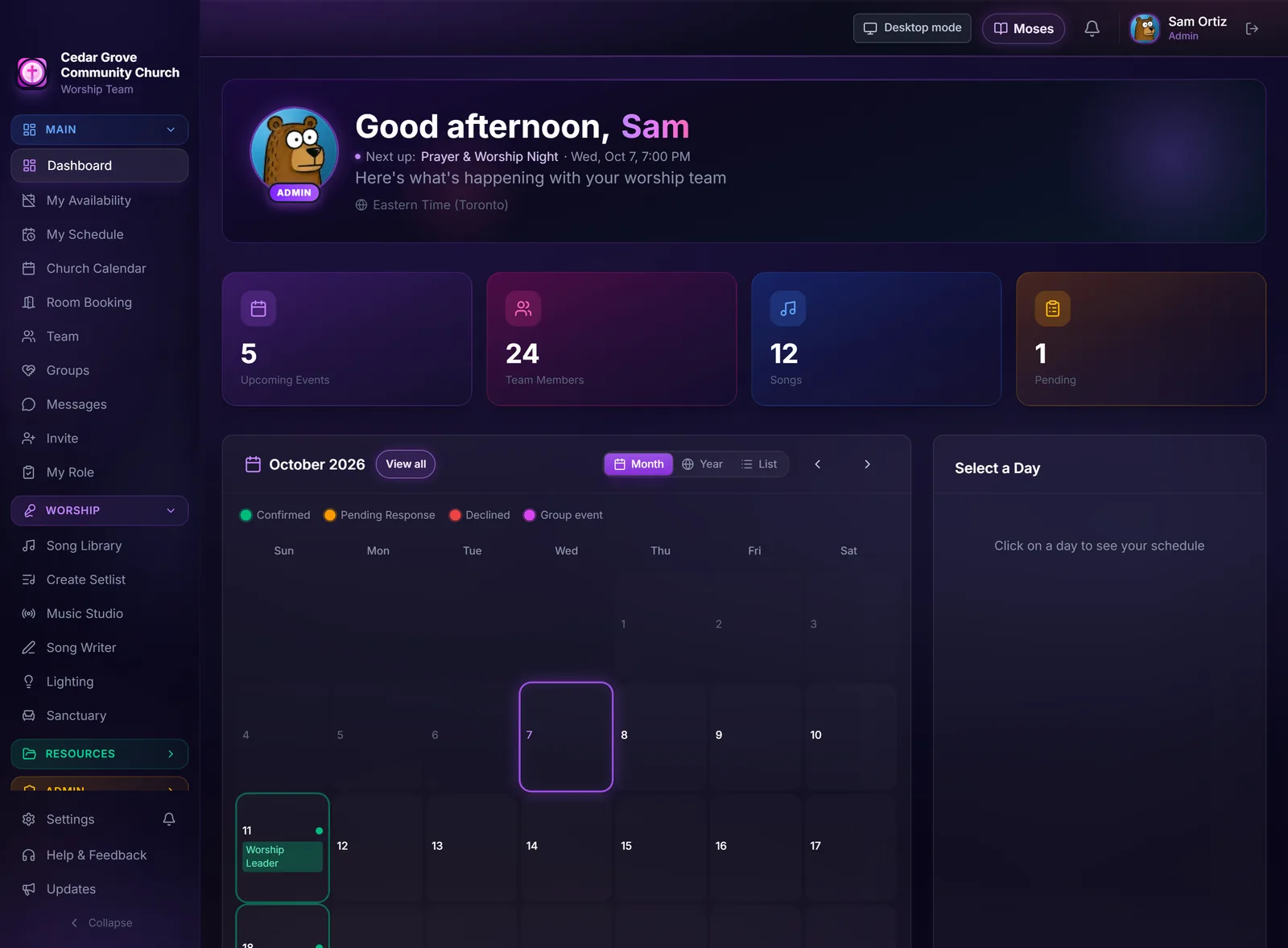
My Schedule on a phone: upcoming Sundays with the role, who else is serving and whether it is confirmed.

Sample church shown.

Every plan

Schedule your whole team with one button.

Pick the Sundays and press Auto-fill. It is skill-based: every spot goes to someone with the skills for it who is free that day, and the load is shared fairly. If nobody fits, the spot stays empty. You look it over, swap anyone, then publish.

Try the real scheduler

The engine from the app, running in your browser.
4
WEEKS
0
FILLED
28
EMPTY
0
PEOPLE
DRAFT
Demo ยท nothing saved
Ministry / Role
Sunday
Week 1
Sunday
Week 2
Sunday
Week 3
Sunday
Week 4
Worship Team: Sunday
Worship Leader
Vocals 1
Vocals 2
Keys
Drums
Acoustic Guitar
Bass

Swipe the grid sideways for all four Sundays.

A whole month, still empty.

In the app it's Quick Fill, then Auto-Fill. Try it:

๐Ÿ“… Availability

What your team told you. Switch one on and watch the grid.

Nothing is placed yet. Start with Auto-Fill, then click any name to see why it was chosen.

Invented volunteers. Nothing is saved or sent.

It never

  • Books someone on a date they blocked
  • Books someone outside the service times they can make
  • Goes past anyone's monthly limit
  • Books someone with no skill in that area
  • Puts one person in two spots in a service, unless you let those roles stack
  • Guesses. If nobody fits, the slot stays empty

Fair, and still your call

  • People who haven't served lately get priority
  • Experts get a boost on required spots
  • Nothing reaches your team until you press Notify & Publish

How it looks in the app

3 cards ยท swipe sideways

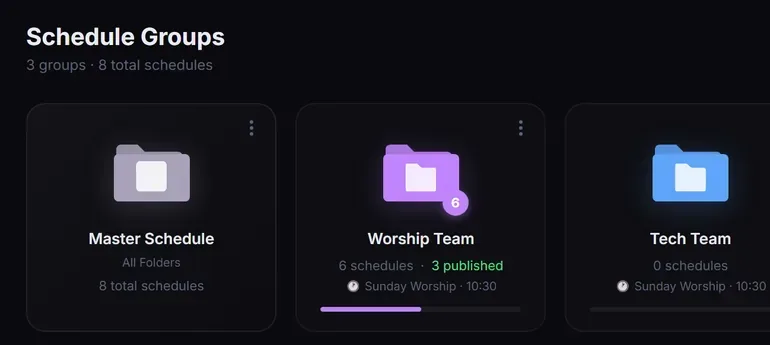
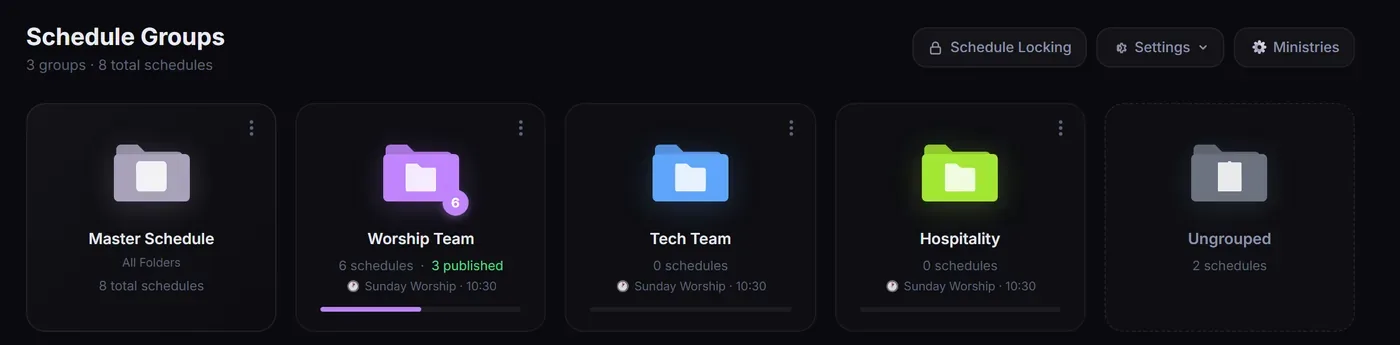
Every ministry gets a folder

Worship, tech and hospitality each keep their own schedules, with a master view of all of them.

Schedule Groups: folders for the master schedule, Worship Team, Tech Team, Hospitality and ungrouped schedules.

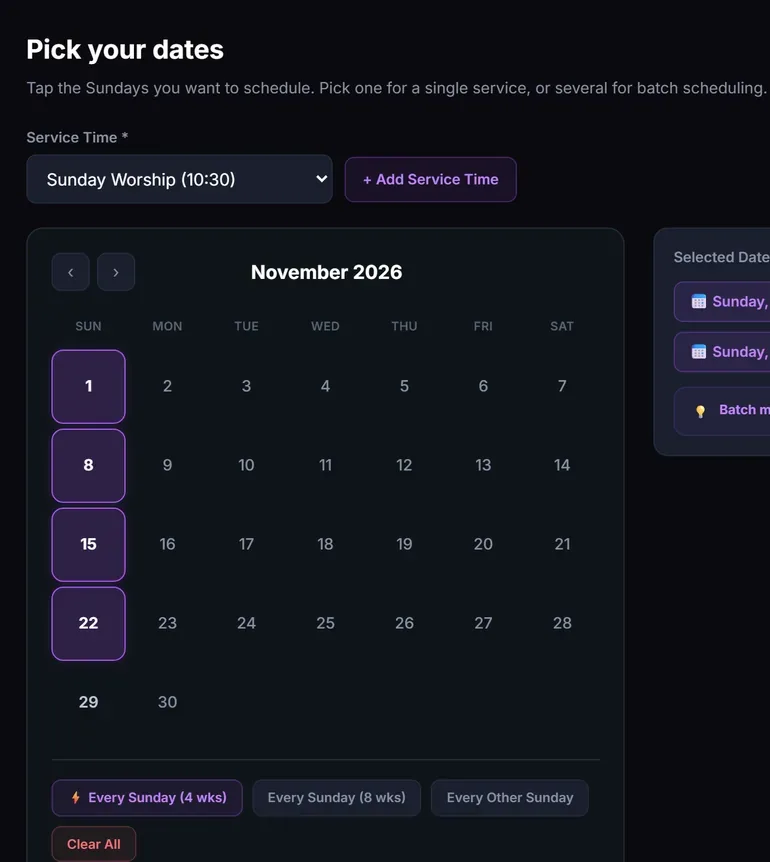
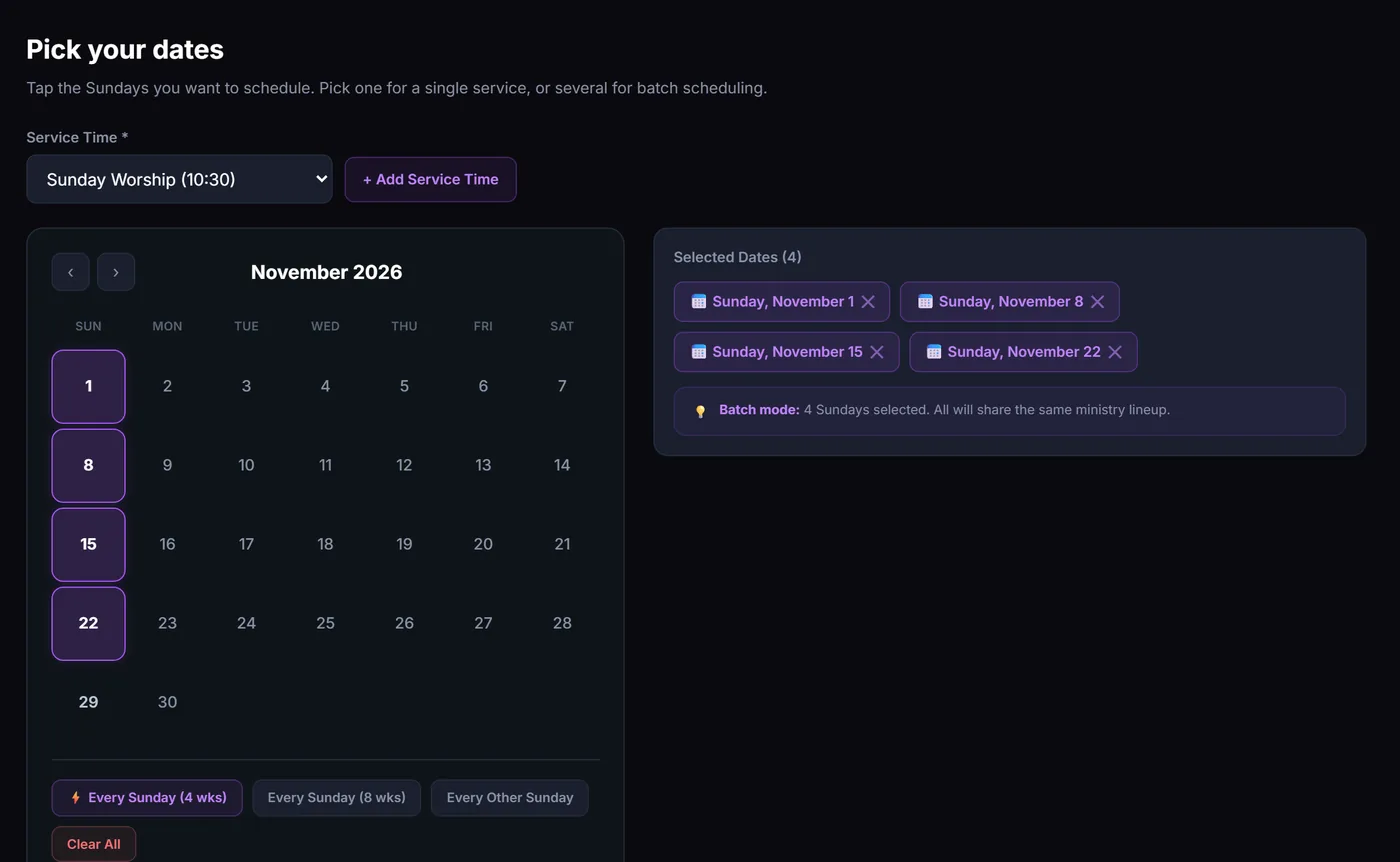
Pick your dates

Tap the Sundays, or every Sunday for four or eight weeks. Up to 52 dates in one go.

Pick your dates: a November calendar with four Sundays selected and quick picks for every Sunday or every other Sunday.

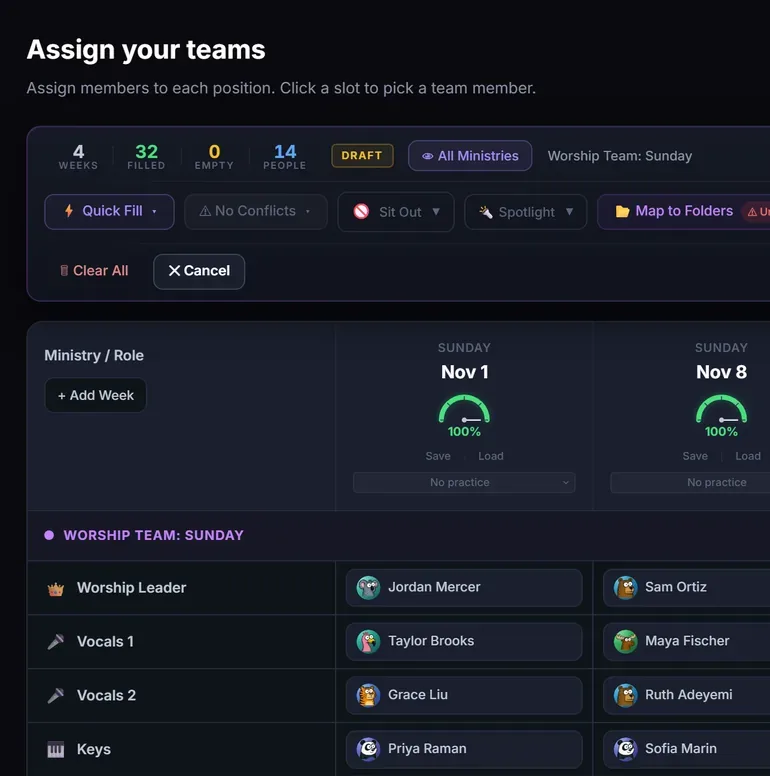
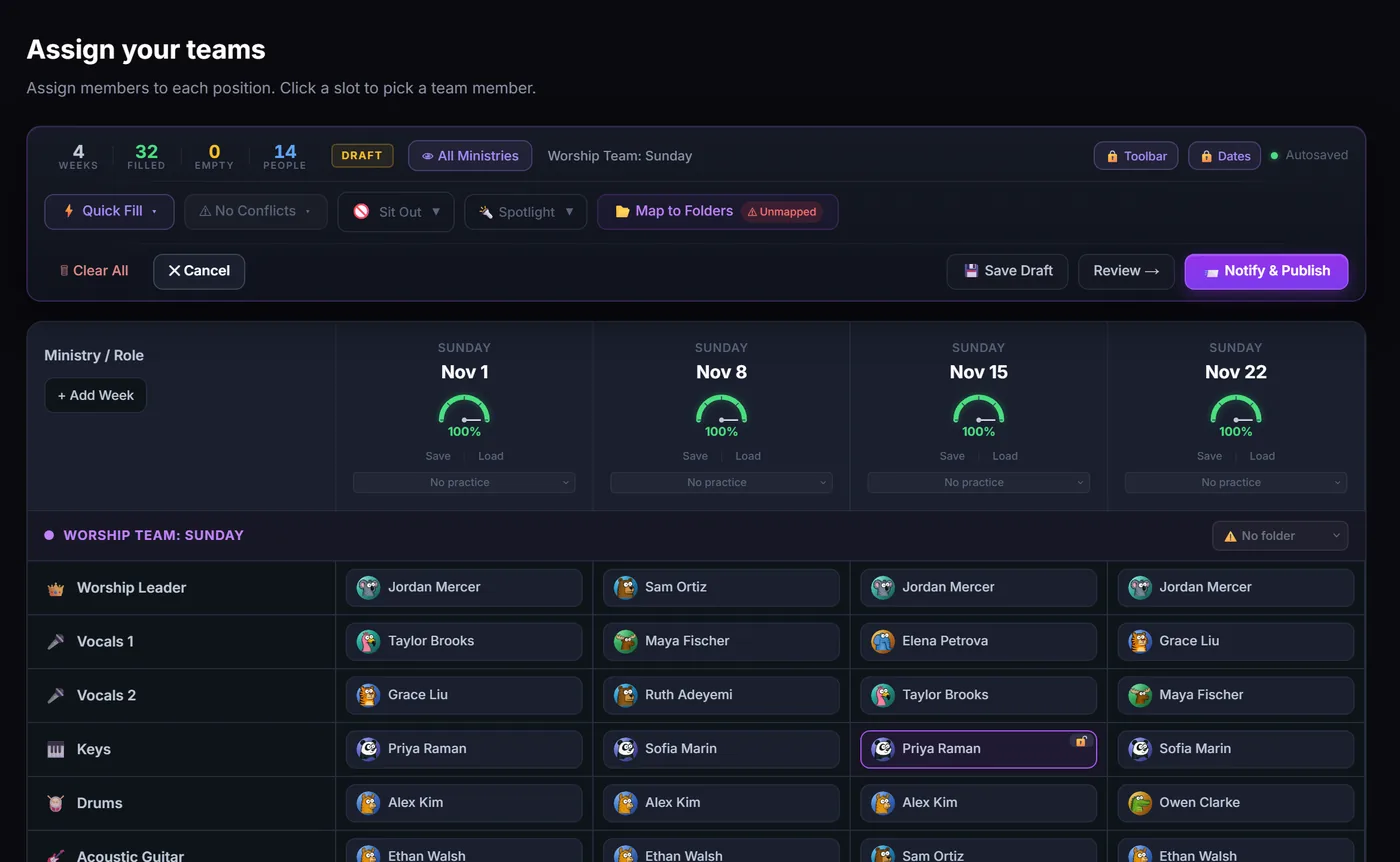
One press fills the month

Four Sundays, 32 spots, 14 people, filled in one press. Swap anyone, then Notify & Publish.

Assign your teams: four Sundays fully staffed, each week at 100 percent, with a Notify and Publish button.

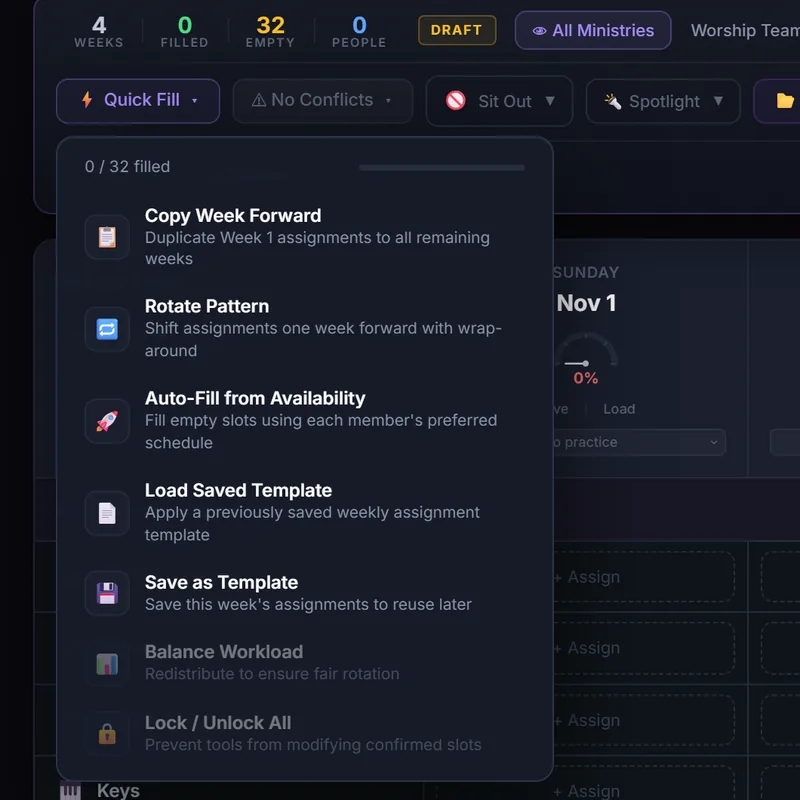
Quick Fill, for the weeks you plan by hand

Prefer a set rotation? These tools sit one tap away in the same screen.

  • Copy week forwardWeek 1's team, repeated to the end
  • Rotate patternEveryone shifts one week, wrapping around
  • Balance workloadEvens out who serves how often
  • TemplatesSave a week's lineup and load it later
  • Lock confirmed slotsTools never move what you've locked
  • Drafts save as you goClose the tab and pick up where you left off
The Quick Fill menu: copy week forward, rotate pattern, auto-fill from availability, load or save a template, balance workload, and lock or unlock all.

One app, every ministry

Pick a ministry. See the real screen.

Each one is part of the same app, with the same people and the same calendar.

Every plan

Fill Sunday's team in minutes.

Set up each ministry's positions once. The auto-scheduler fills them from skills, availability and blocked dates, and spreads the load fairly. Publish, and everyone hears about it.

  • People block out the dates they're away
  • Auto-schedule several weeks at once, then adjust by hand
  • Volunteers accept or decline from their phone
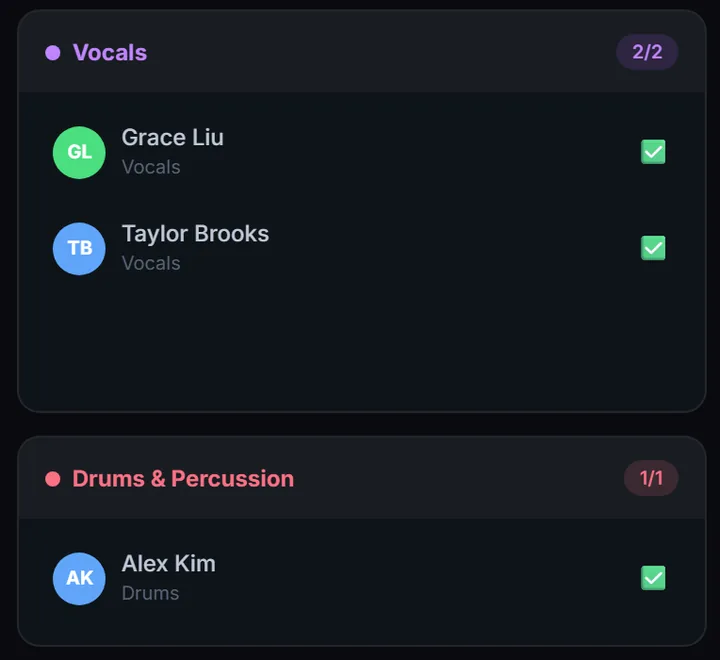
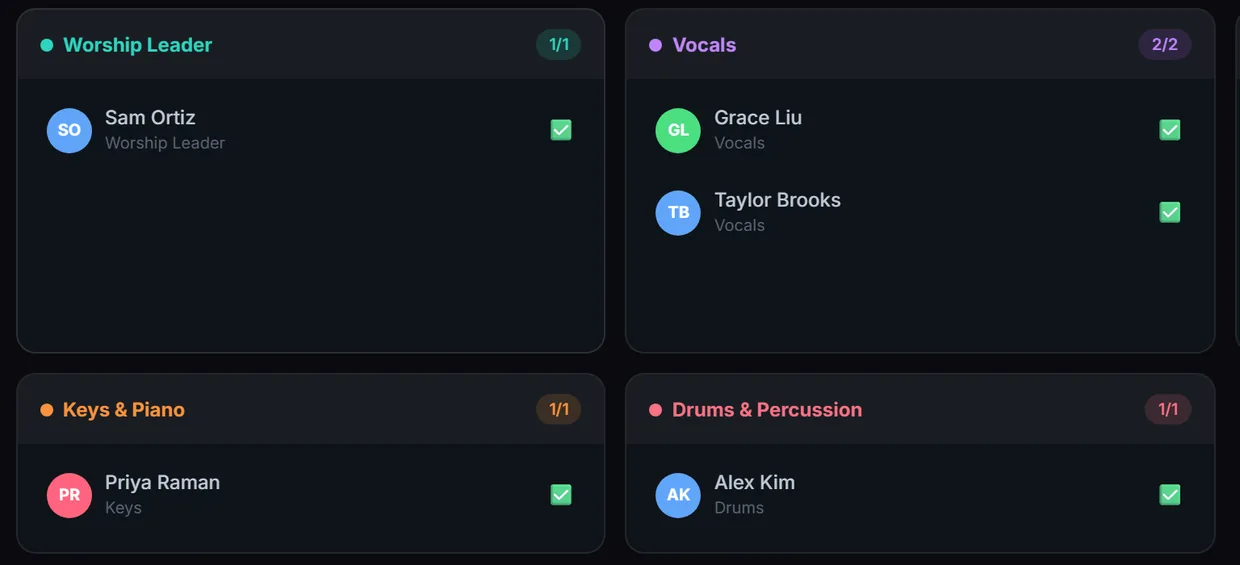
Two positions on a published schedule: Vocals with Grace Liu and Taylor Brooks, and Drums with Alex Kim, all confirmed.
Kids ministry ยท Starter and up

Check-in parents can trust.

Sunday School from start to finish: every child checked in and labelled, allergies in front of every teacher, each child handed back to the right adult, and the lesson ready before anyone arrives.

6 cards ยท swipe sideways

Arrive

Check in, in seconds.

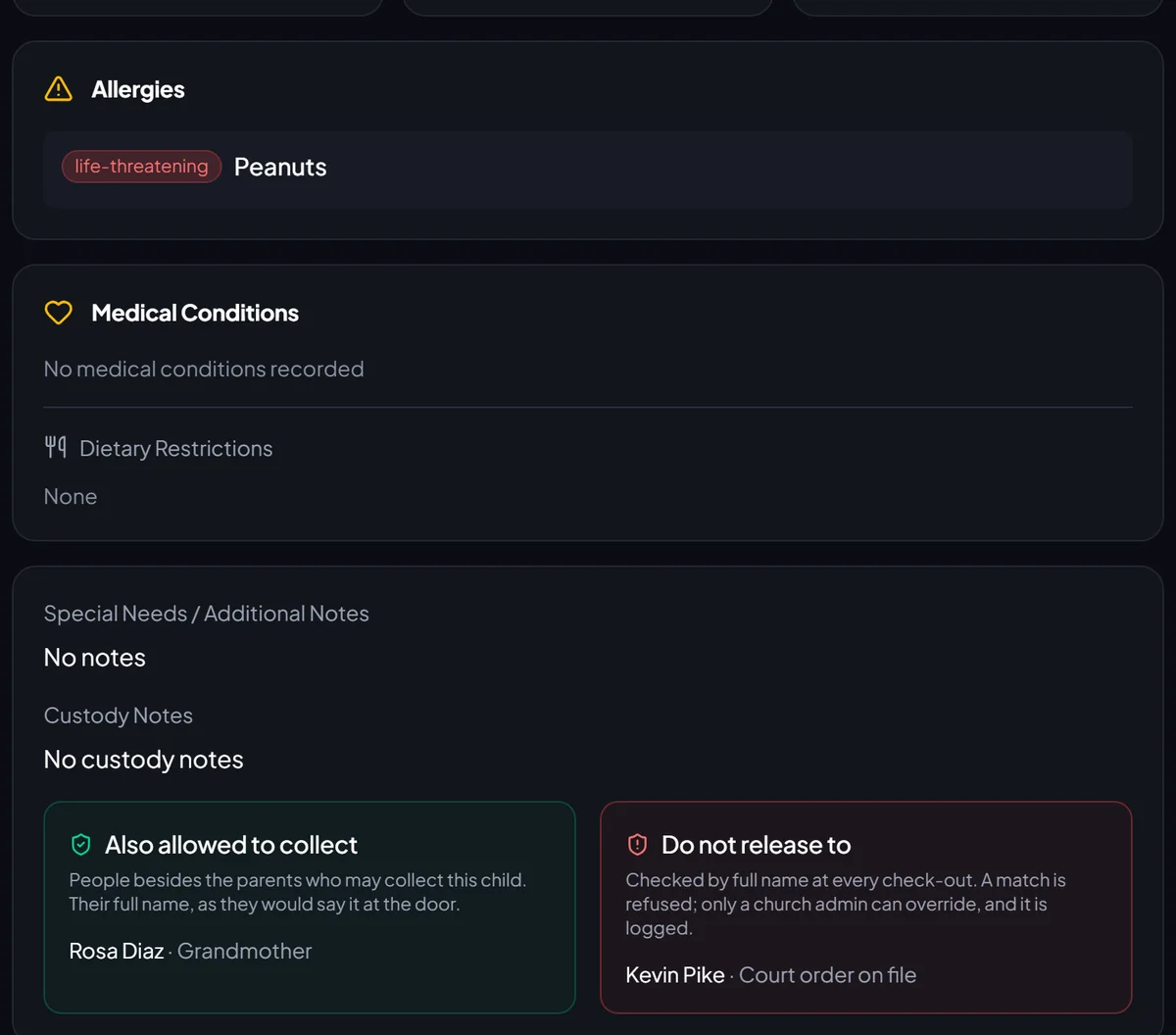
Families check themselves in at a tablet by the door, or show the Family Pass on their phone.

  • A tablet becomes a kiosk when a leader scans its code. It never holds anyone's login, and it is locked with a PIN
  • Families find themselves by phone number or last name
  • Or they scan the Family Pass in the app, which refreshes itself
  • Brothers and sisters check in together and share one pick-up code
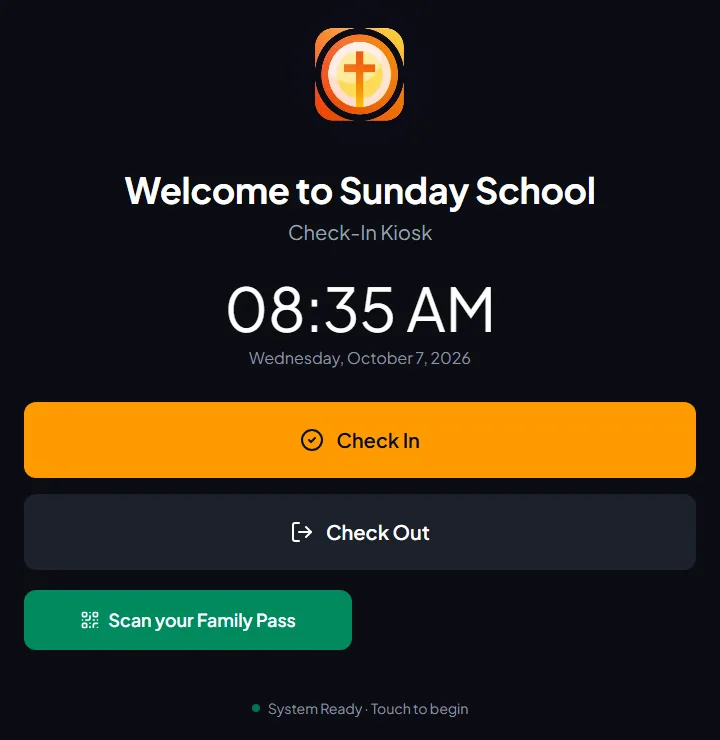
The check-in kiosk on a tablet: Welcome to Sunday School, the time, and buttons for Check In, Check Out and Scan your Family Pass.
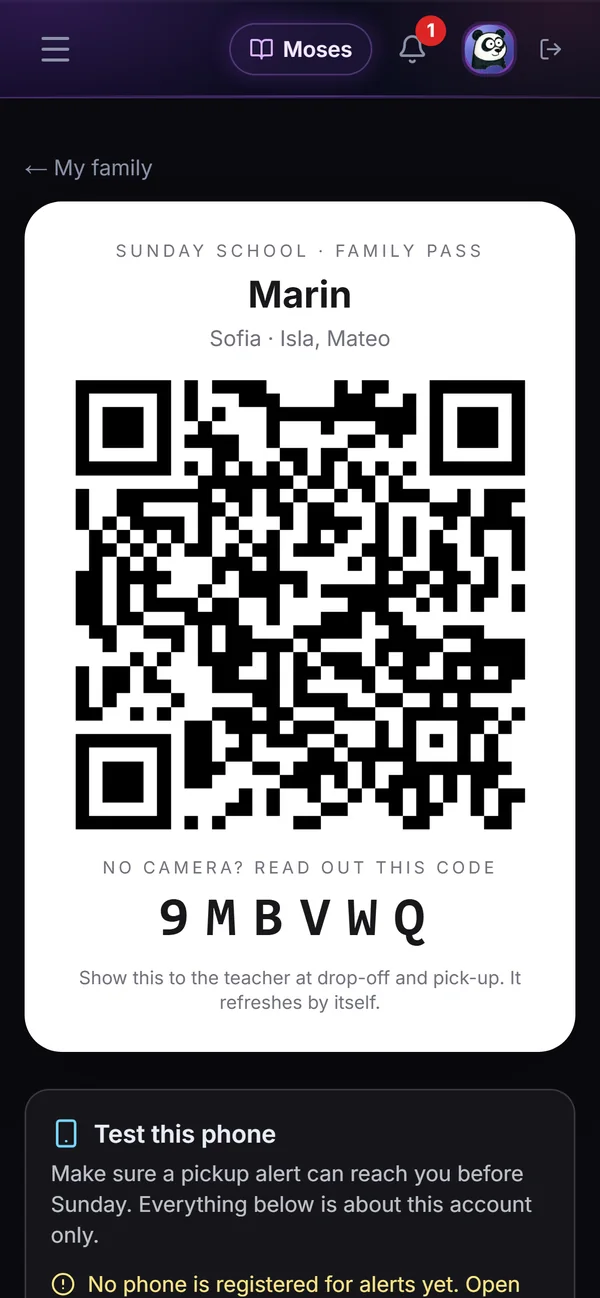
A parent's Family Pass on a phone: the family name, the children, a QR code and a six-letter code to read out.

Labels

A sticker for the child. A ticket for the parent.

  • Allergies print in red on the child's sticker, and a severe one fills the band
  • The pick-up code prints on the parent's ticket only, never on the child
  • Brother or Dymo label printers, or sticker sheets on any printer
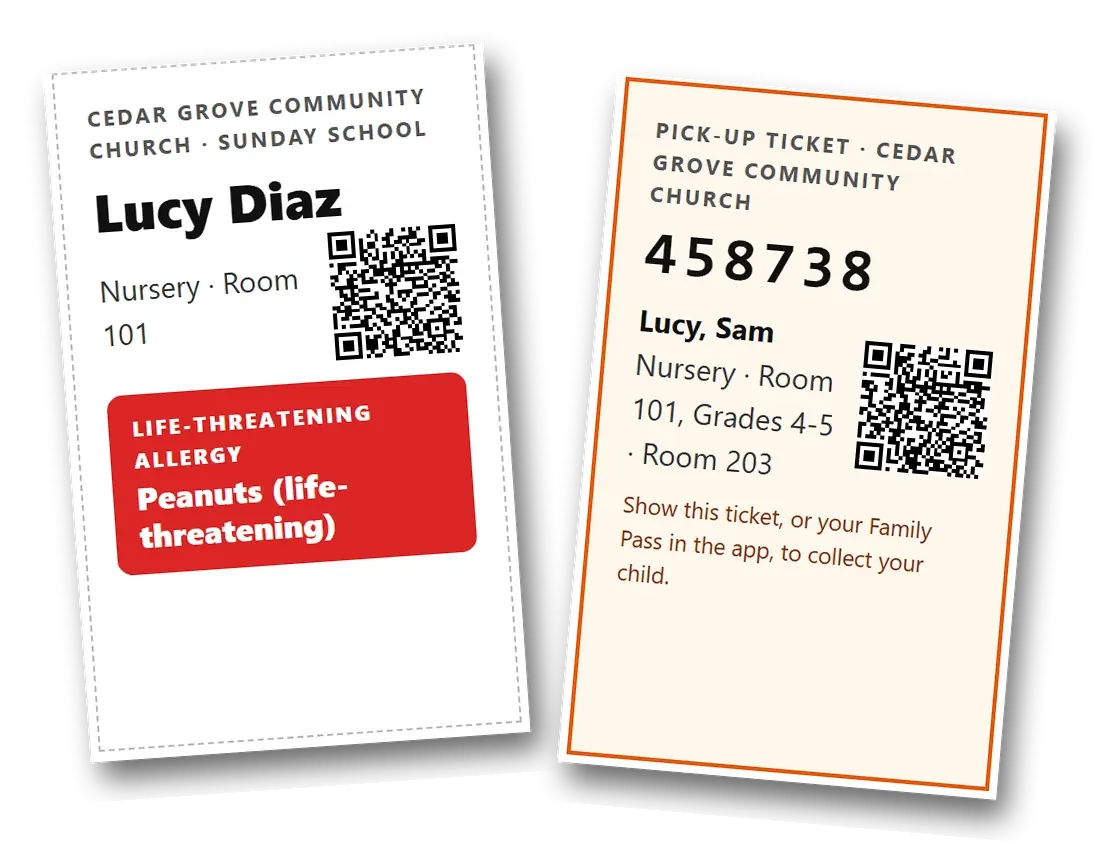
Two printed labels: Lucy Diaz's sticker with a red band reading Life-threatening allergy: Peanuts, and the family's pick-up ticket with the code 458738 for Lucy and Sam.
In the room

Every room knows who's there.

  • A live list for each room, with allergies beside every name
  • Helpers counted against each room's ratio, so a short-staffed room stands out
  • Teachers can get a ping when one of their children arrives
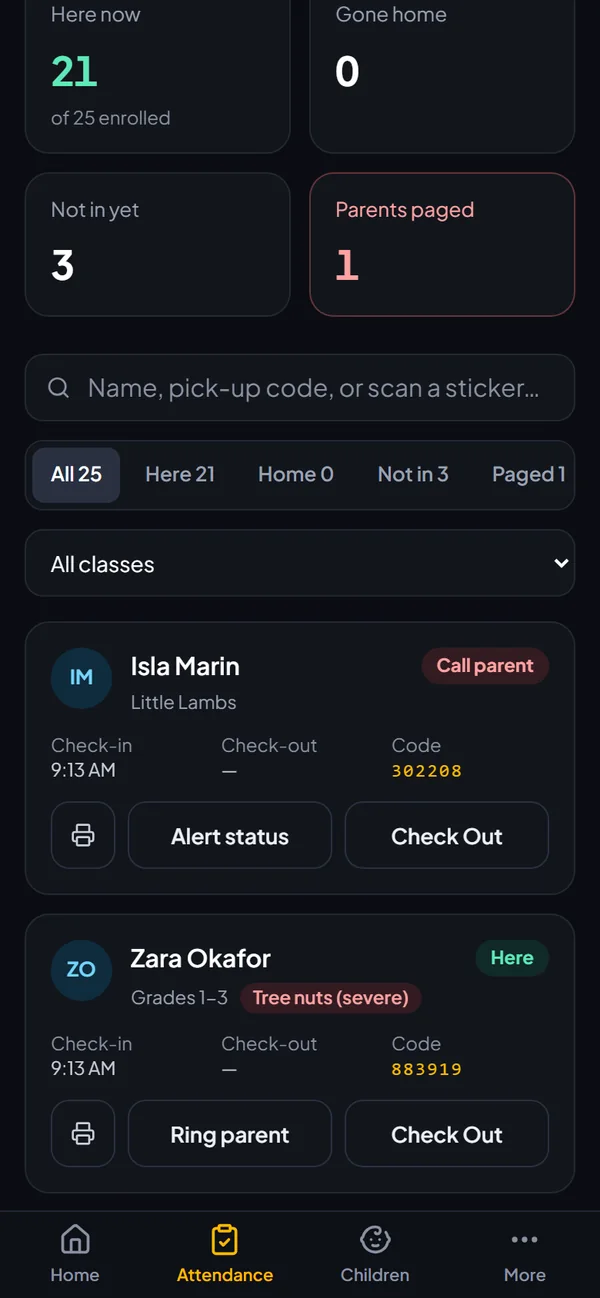
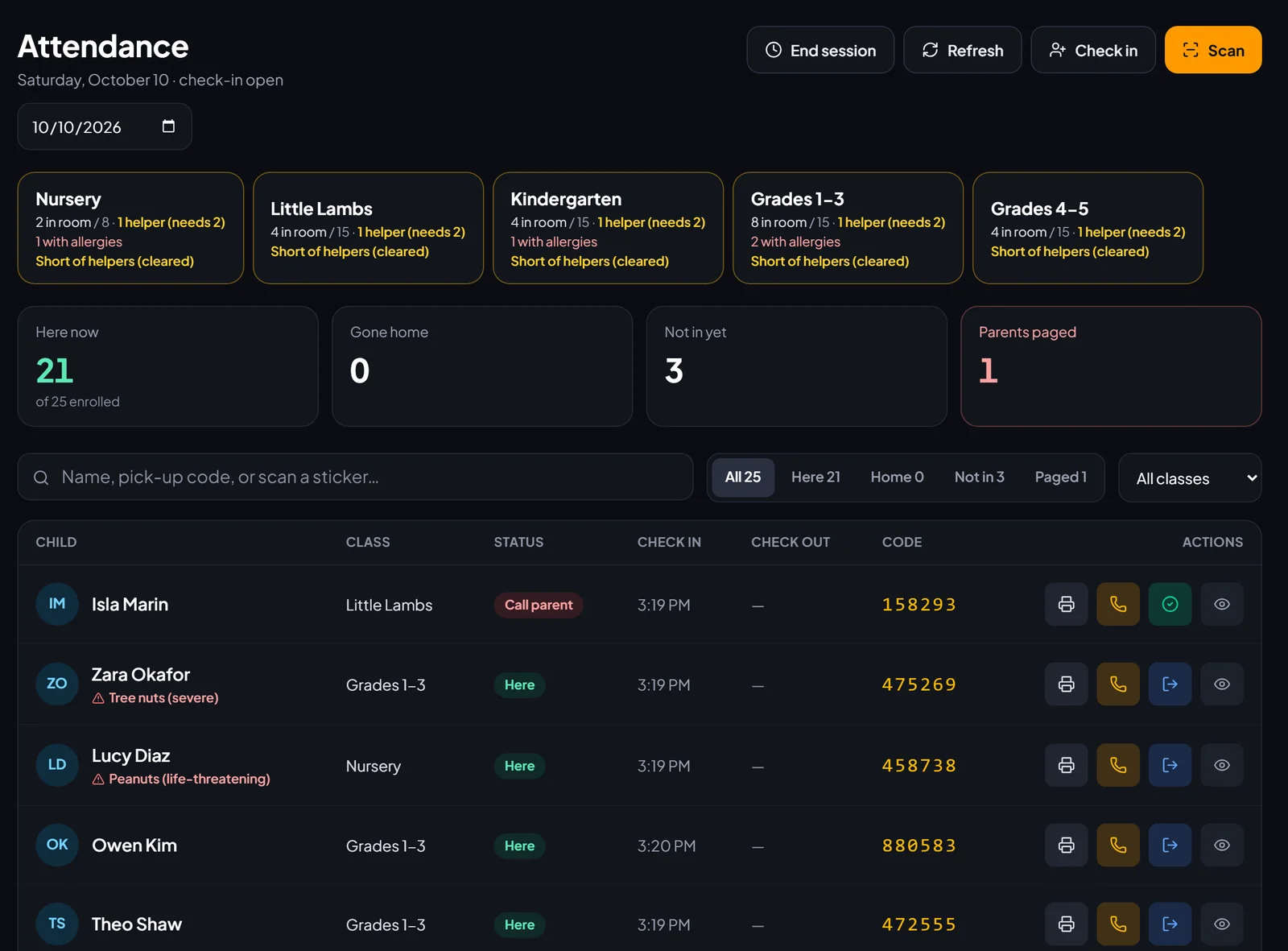
Today's attendance on a phone: 21 children here, one parent paged, Isla with a Call parent tag and Zara with a severe tree-nut allergy.

Pickup

The right child goes home with the right adult.

The ticket, the code or the Family Pass is checked before any child leaves the room.
  • Only parents and the people you list may collect a child
  • Anyone on a child's do-not-release list is refused, at every check-out
  • Only a church admin can override, and every override is logged with its reason
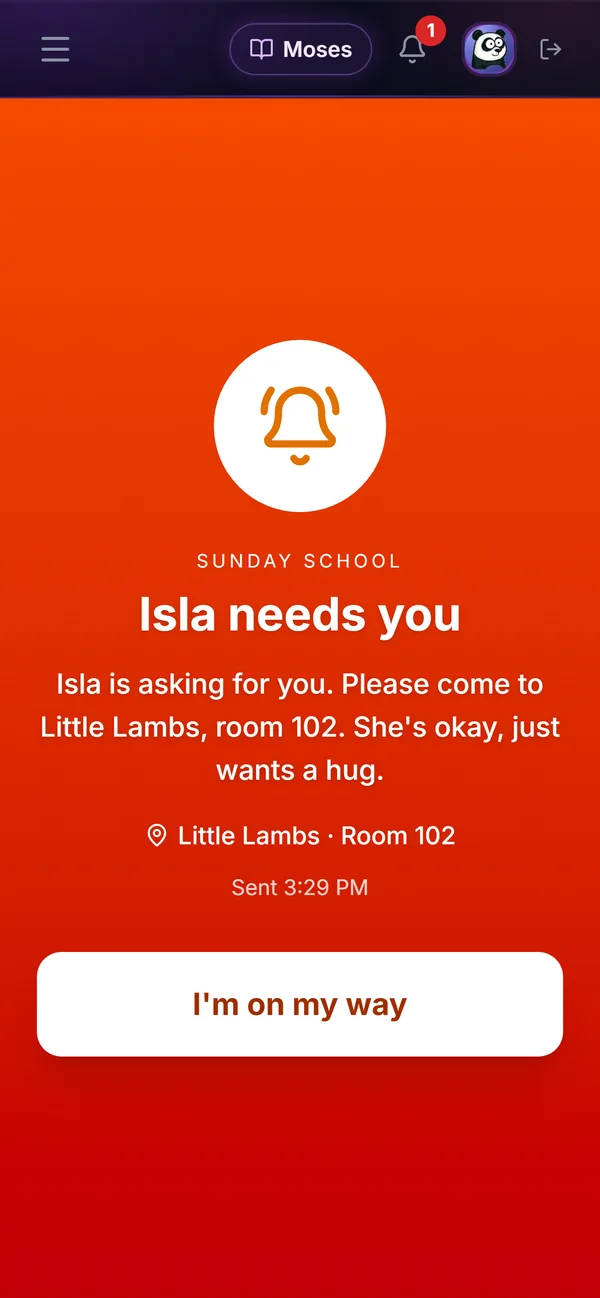
  • Need a parent? Page them from the room. Their phone says where to come, and they tap I'm on my way
A parent's phone: Isla needs you. Please come to Little Lambs, room 102. She's okay, just wants a hug. A button reads I'm on my way.

Lessons

Lessons volunteers can actually teach.

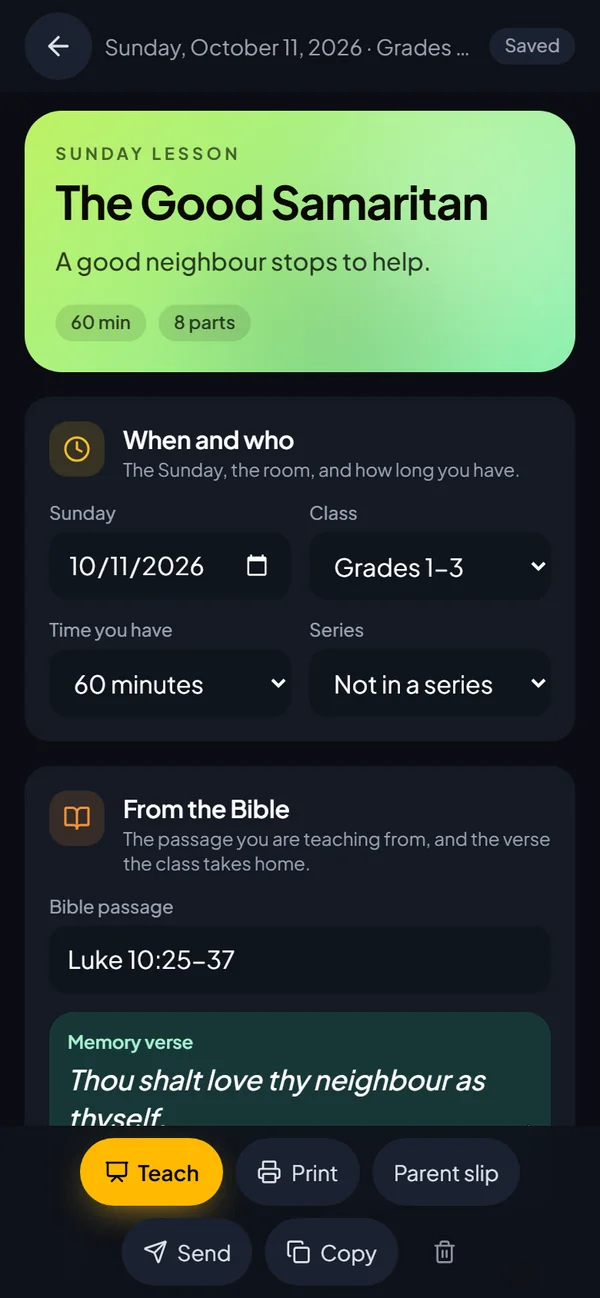
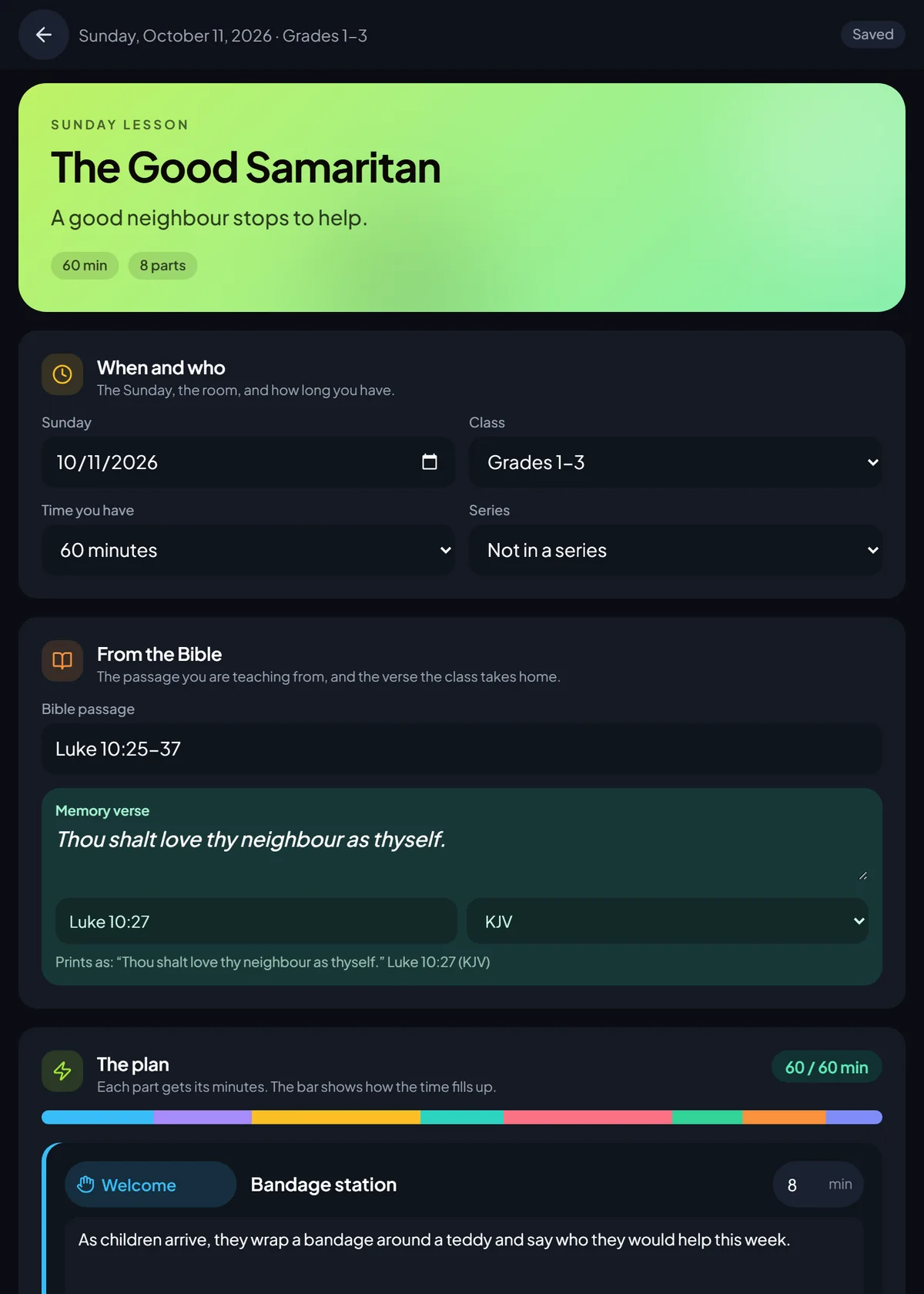
  • One plan per class per Sunday: the passage, the memory verse and every part of the hour, timed
  • A parent slip for the car ride home
  • Keep a series in the library and teach it again next year
The Good Samaritan lesson on a phone: a good neighbour stops to help, 60 minutes in 8 parts, the Bible passage and the memory verse.

Records

A record of every look.

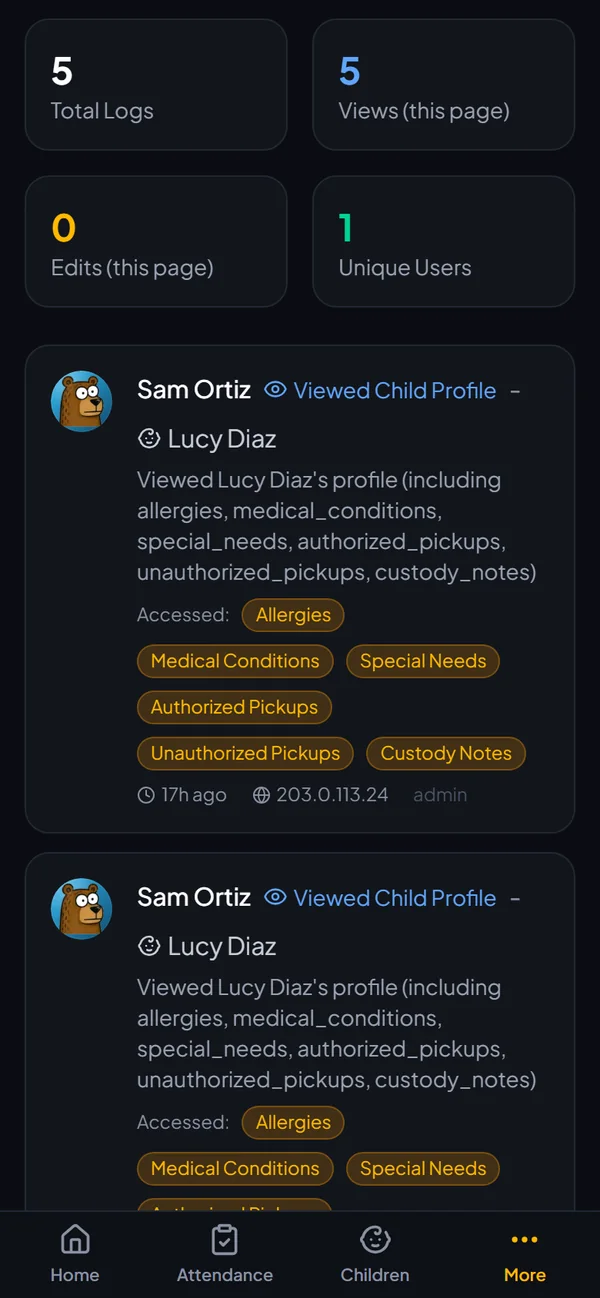
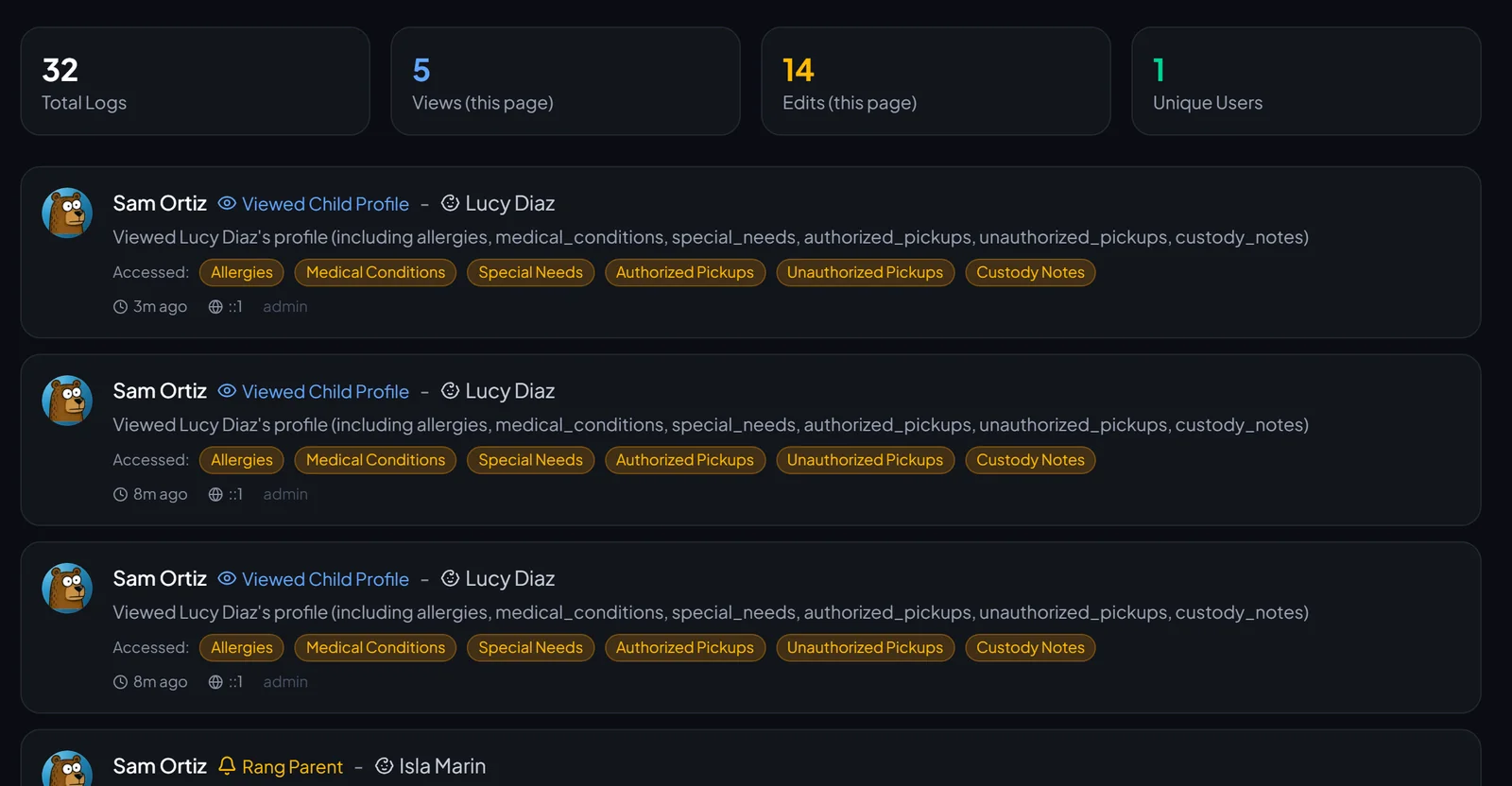
  • Every time someone opens a child's record is logged: who, when and what they saw
  • Background checks, first aid and child-safety training tracked for every volunteer
  • Attendance by class and by week, ready to export
The access log on a phone, showing each time a leader viewed Lucy's record and which parts they opened: allergies, medical conditions, who may collect her.
Every plan

Policies & Protocols, without the binder.

Write the rules that keep people safe, send them to the right people to read and sign, and know who does what when something goes wrong.

3 cards ยท swipe sideways

A policy library that gets signed

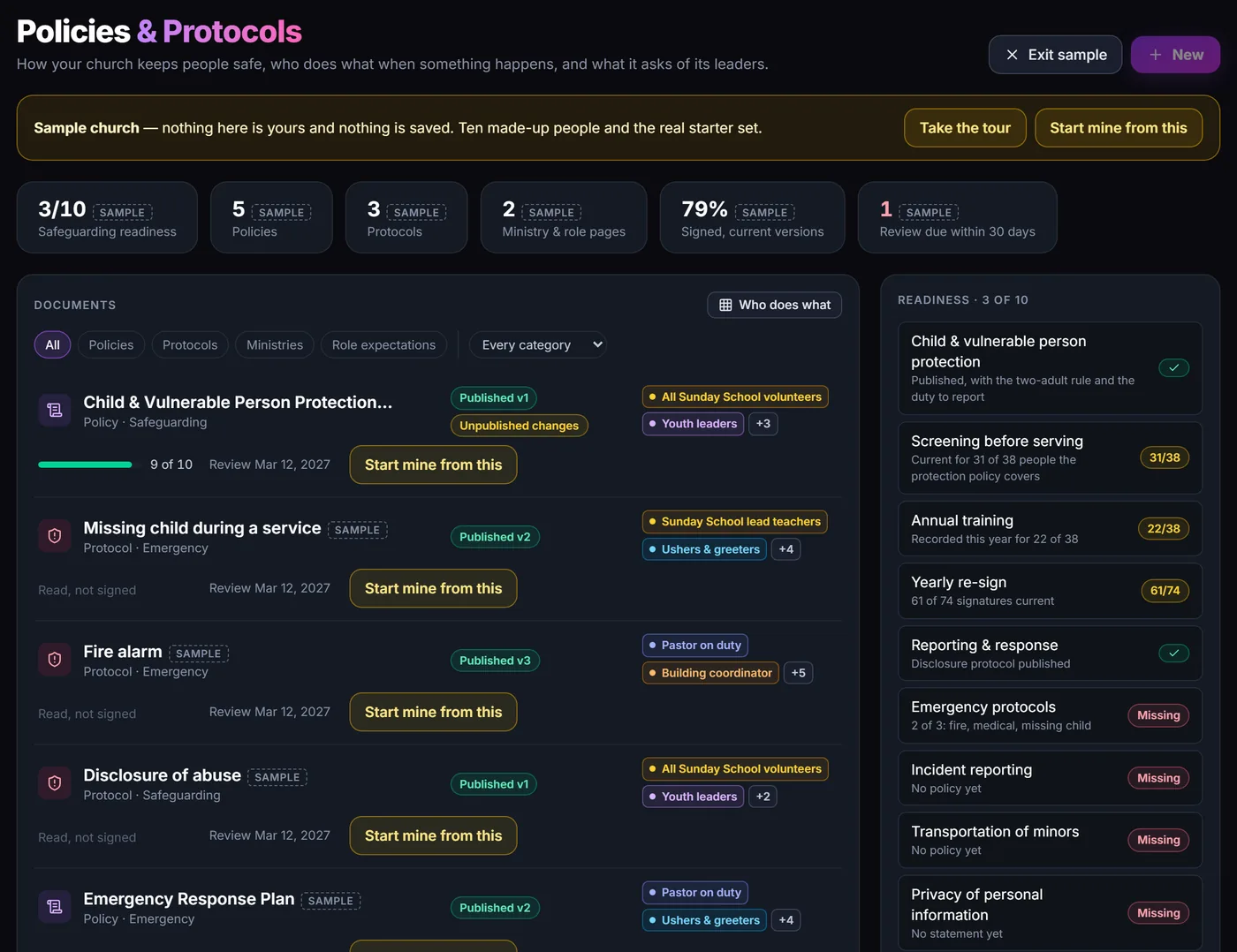
Start from 23 plain-language drafts: 9 policies, 8 protocols, and pages for your ministries and leaders. Change anything, then publish.

  • Read and sign in Messenger. People type their name once they reach the end
  • Paper signatures and training records kept with the rest
  • Yearly re-sign, with a count of who is due again
  • A readiness check, and an export for your insurer

Starters are first drafts, not legal advice.

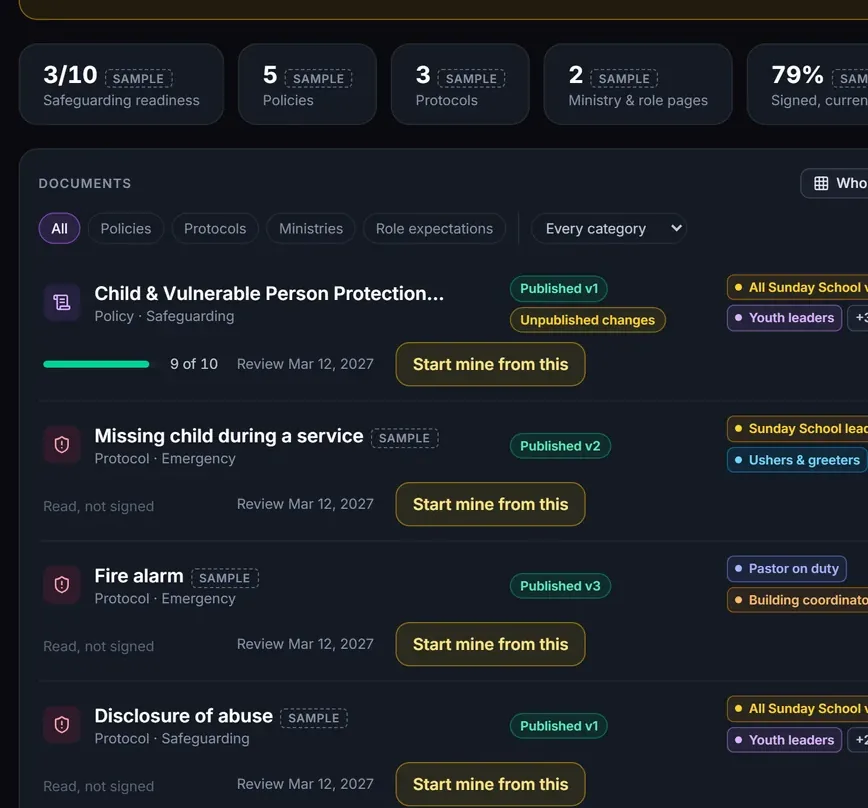
The Policies and Protocols library: safeguarding readiness 3 of 10, documents with who must sign and how many have, and a readiness checklist.

Steps by role, by the minute

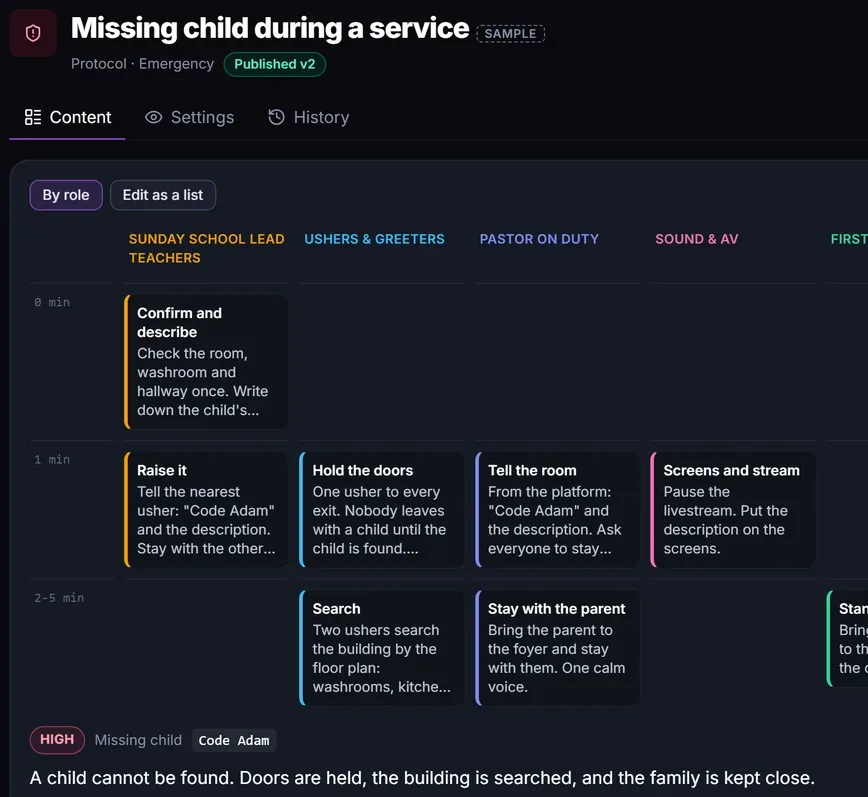
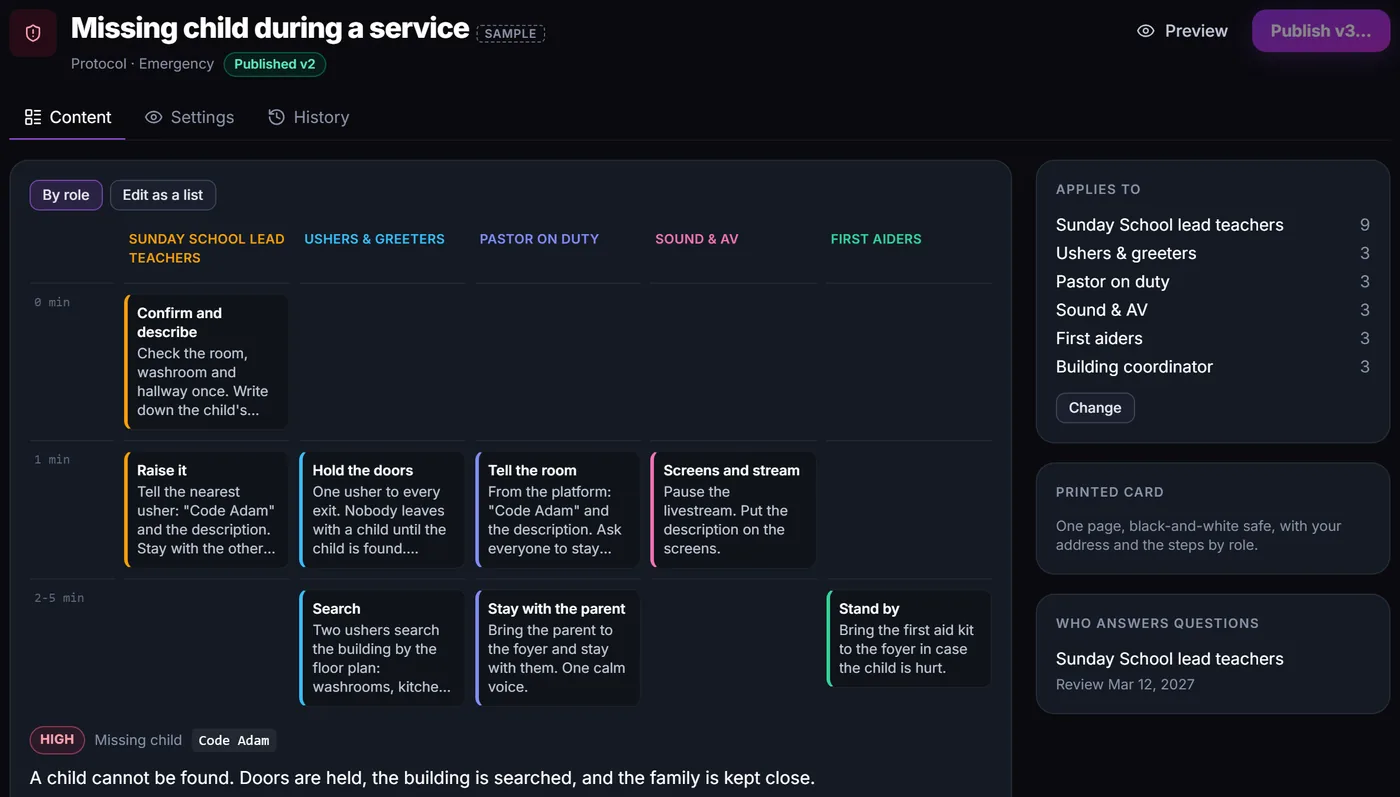
A missing child or a fire alarm: every role sees its own steps, minute by minute. Each protocol prints as a one-page card, and volunteers find their steps on their My Role page.

One page, black-and-white safe

A missing child protocol laid out by role: Sunday School lead teachers, ushers, pastor on duty, sound and first aiders, each with steps at 0, 1 and 2 to 5 minutes.

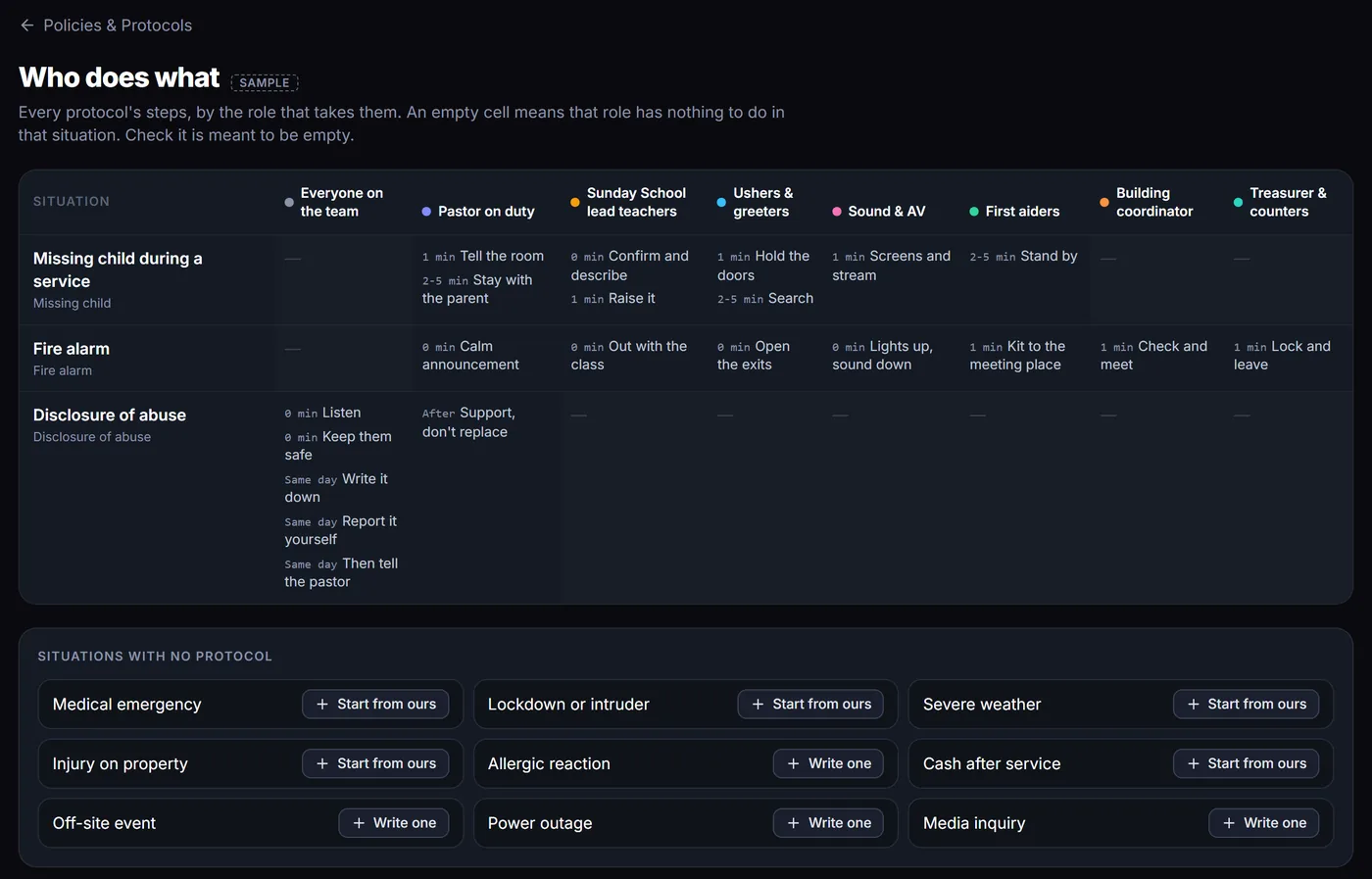
Who does what

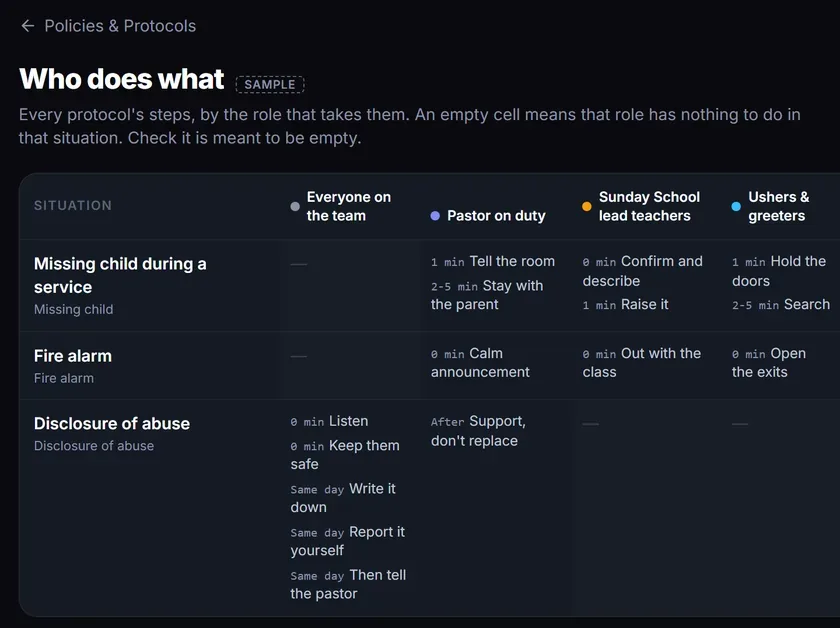
Every protocol on one grid, one column per role, so nobody is left guessing. Situations with no protocol yet are listed underneath, many with a starter ready to open.

Who does what: missing child, fire alarm and disclosure of abuse across eight roles, then situations with no protocol yet, such as medical emergency and severe weather.

Shown in the app's sample church.

Add-ons on Starter and up

Groups that keep going between Sundays.

Every group gets its own page. The leader switches on the add-ons that group needs, and nothing else gets in the way.

Files

A shared folder for the group.

Good for: Handouts, rotas, forms and photos from last week.

  • Leaders upload and make folders
  • Everyone in the group can open and download
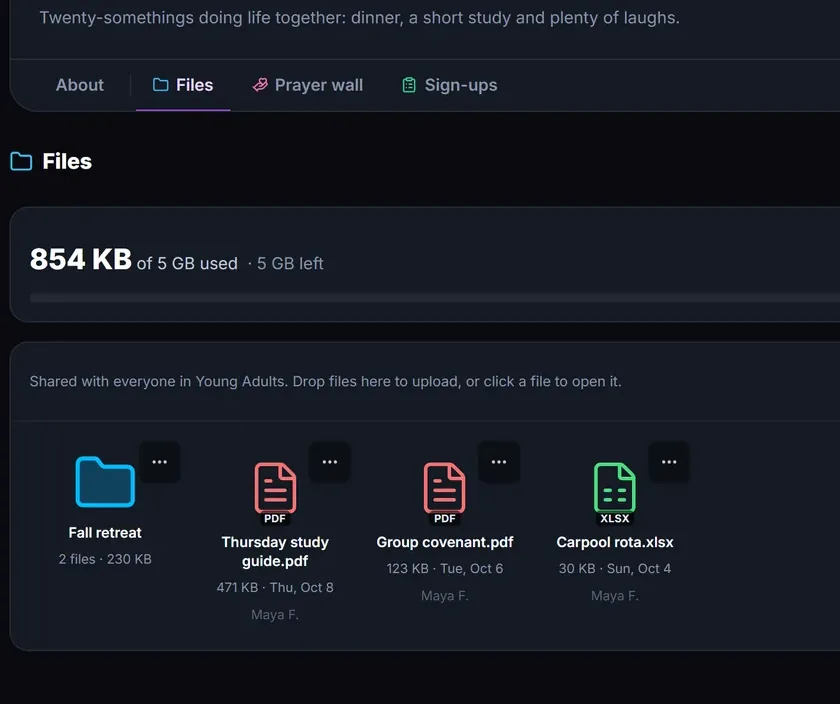
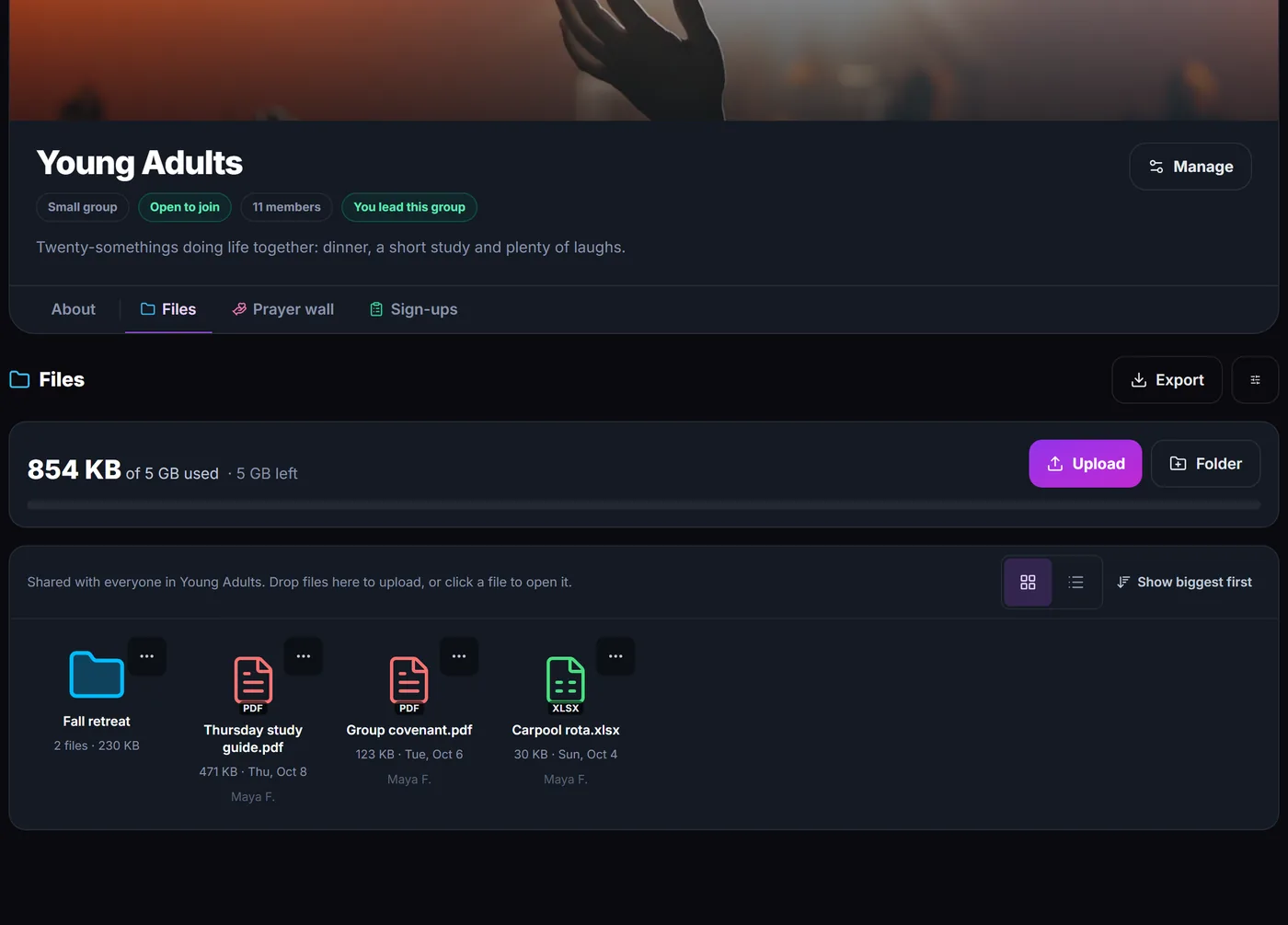
A group's Files: 854 KB of 5 GB used, a Fall retreat folder, a study guide, a group covenant and a carpool rota.
  • The leader decidesGroup leaders switch add-ons on and off. A group only shows what it uses.
  • Members join inEveryone in the group can read and reply, add a prayer or claim a place.
  • Removed means removedTake an add-on away and it hides at once. Its data is deleted for good after 7 days, unless you put it back.
  • Yours to keepEvery add-on exports, and Files has a storage limit per group.

Sample church shown.

Volunteers already have it in their pocket.

Where am I serving, what are we playing, which night is practice? It's all one tap away, so you stop answering the same text five times a week.

  • Any phone browserNothing to install. Sign in and it works.
  • Apps for iPhone and AndroidFor native notifications. Get it on the App Store or Google Play.
  • The right nudgeNew schedule, a changed setlist, a pickup alert.
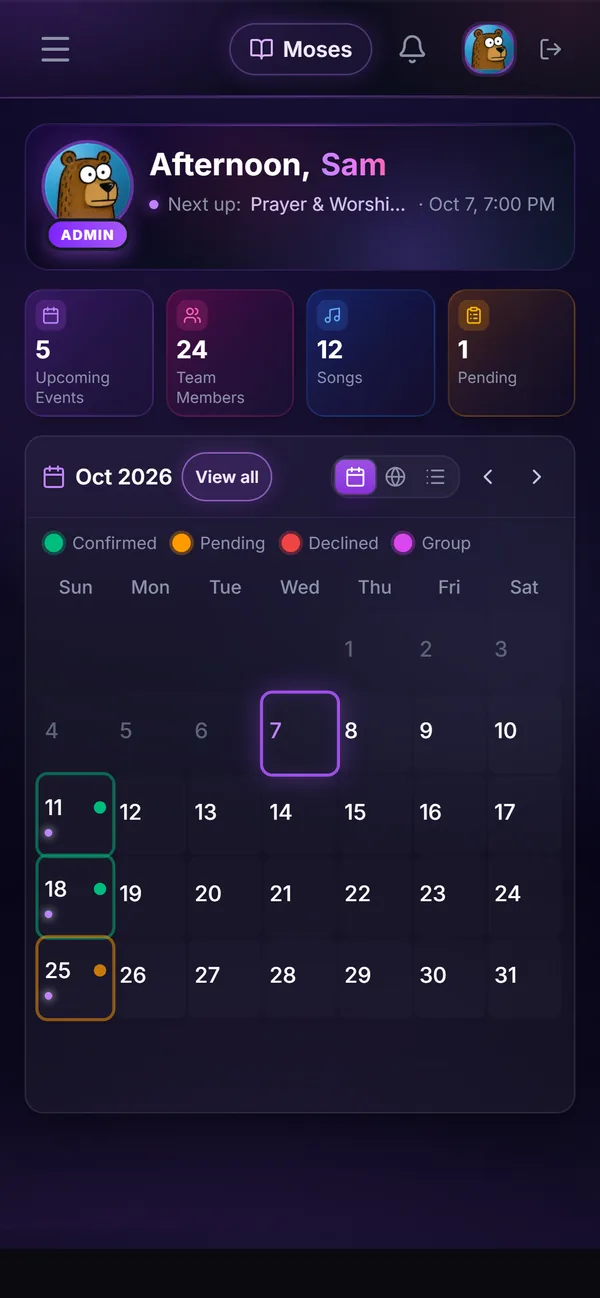
The dashboard on a phone with the month calendar showing which Sundays you serve.
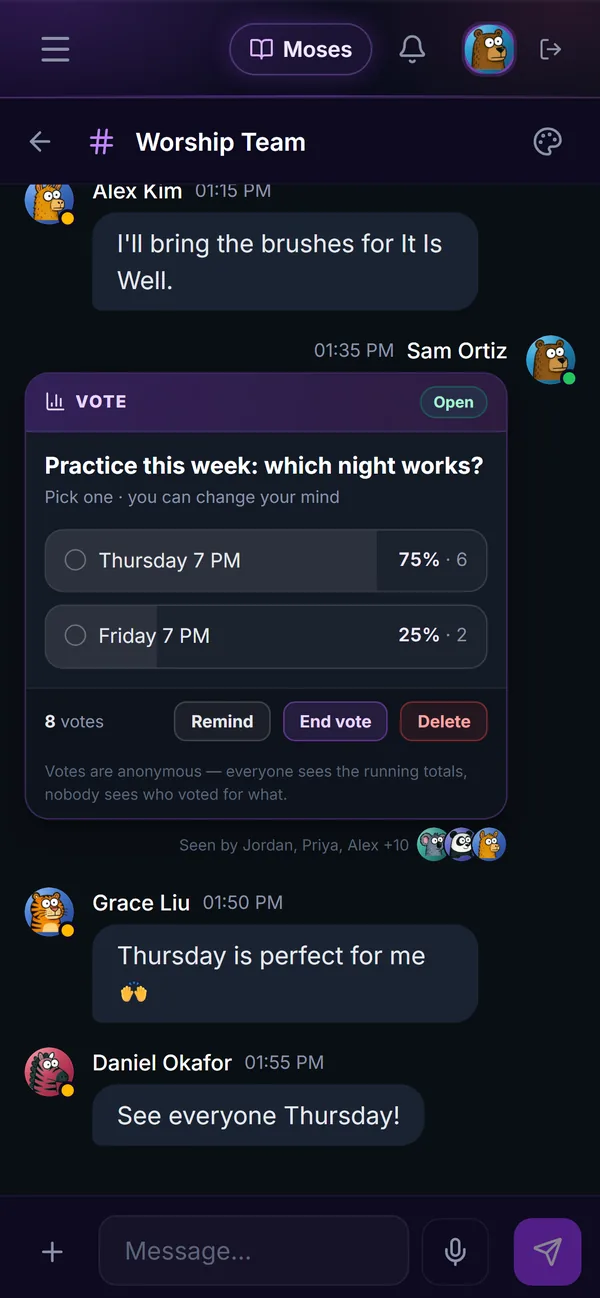
Team chat on a phone with a poll for the practice night.
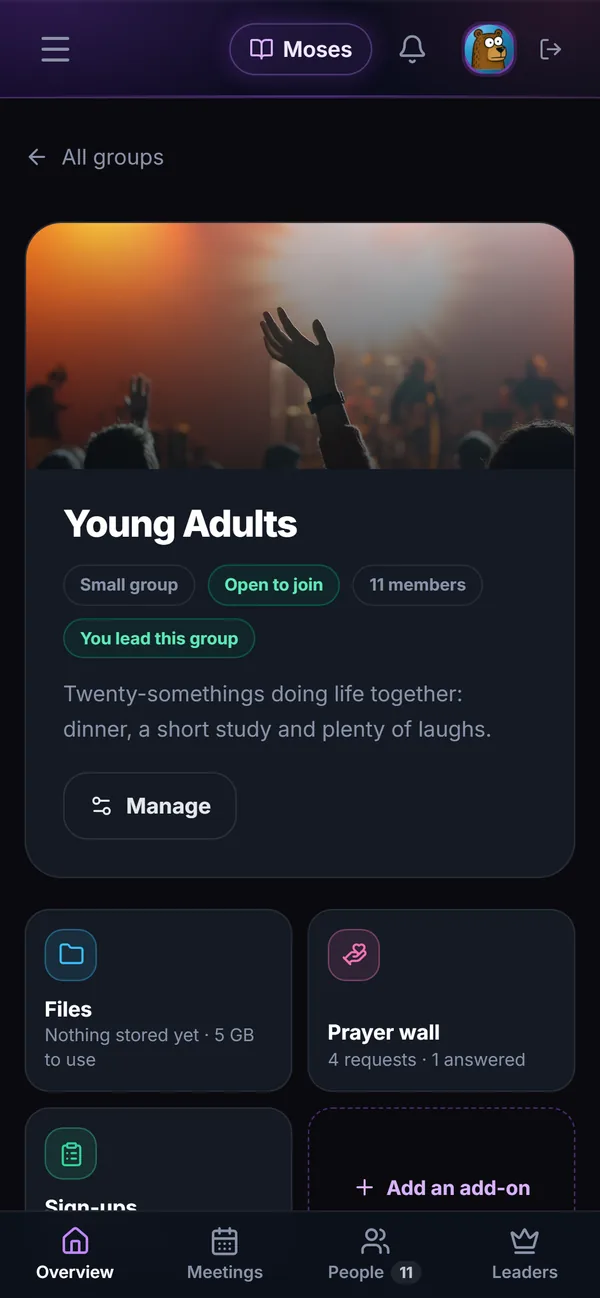
A small group's page on a phone with its add-ons.

Notifications that get through.

A schedule nobody hears about is no schedule at all. So notifications have more than one way to arrive, and you're told when they can't.

  • Three ways to reach peopleThe iPhone and Android apps, browser notifications, and live updates inside the app.
  • Tries again on its ownA send that hits a network hiccup is retried automatically.
  • Email when there's no deviceSomeone who hasn't set up notifications gets their new schedule by email instead.
  • A delivery reportPublish a schedule and see who was told, by push and by email.
  • Says when it can't reach youIf none of your devices can get notifications, you see a warning with the fix.
  • Checked every hourOld phones and browsers that stopped answering are cleared out, and we're alerted if sends start failing.
For church admins on a computer

Desktop Mode: run the church office from one screen.

Works like its own operating system, right in your browser.

Movable windows, a taskbar and a Start menu, on any Windows, Mac, Chromebook or Linux computer, with nothing to install. Keep the schedule open beside the team chat, the song library beside the setlist, and jump between them from the taskbar.

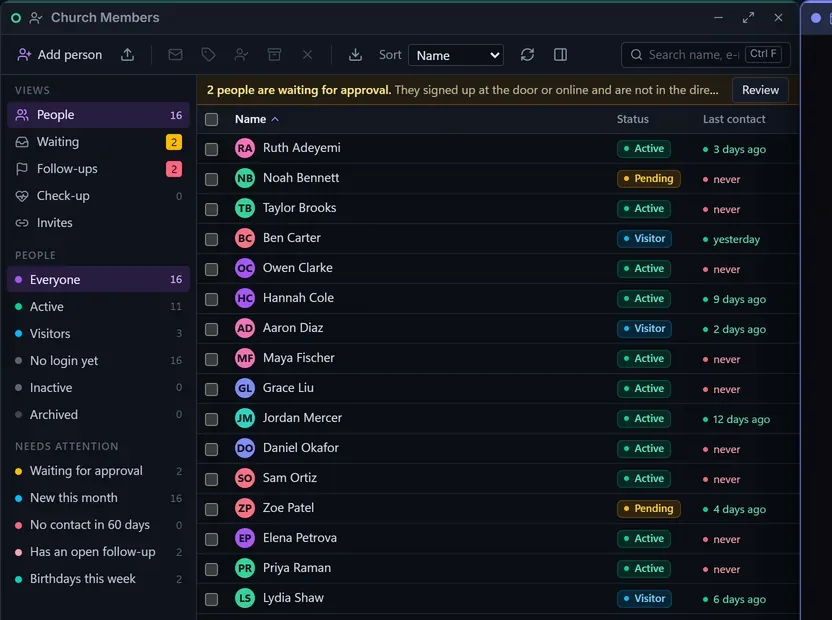
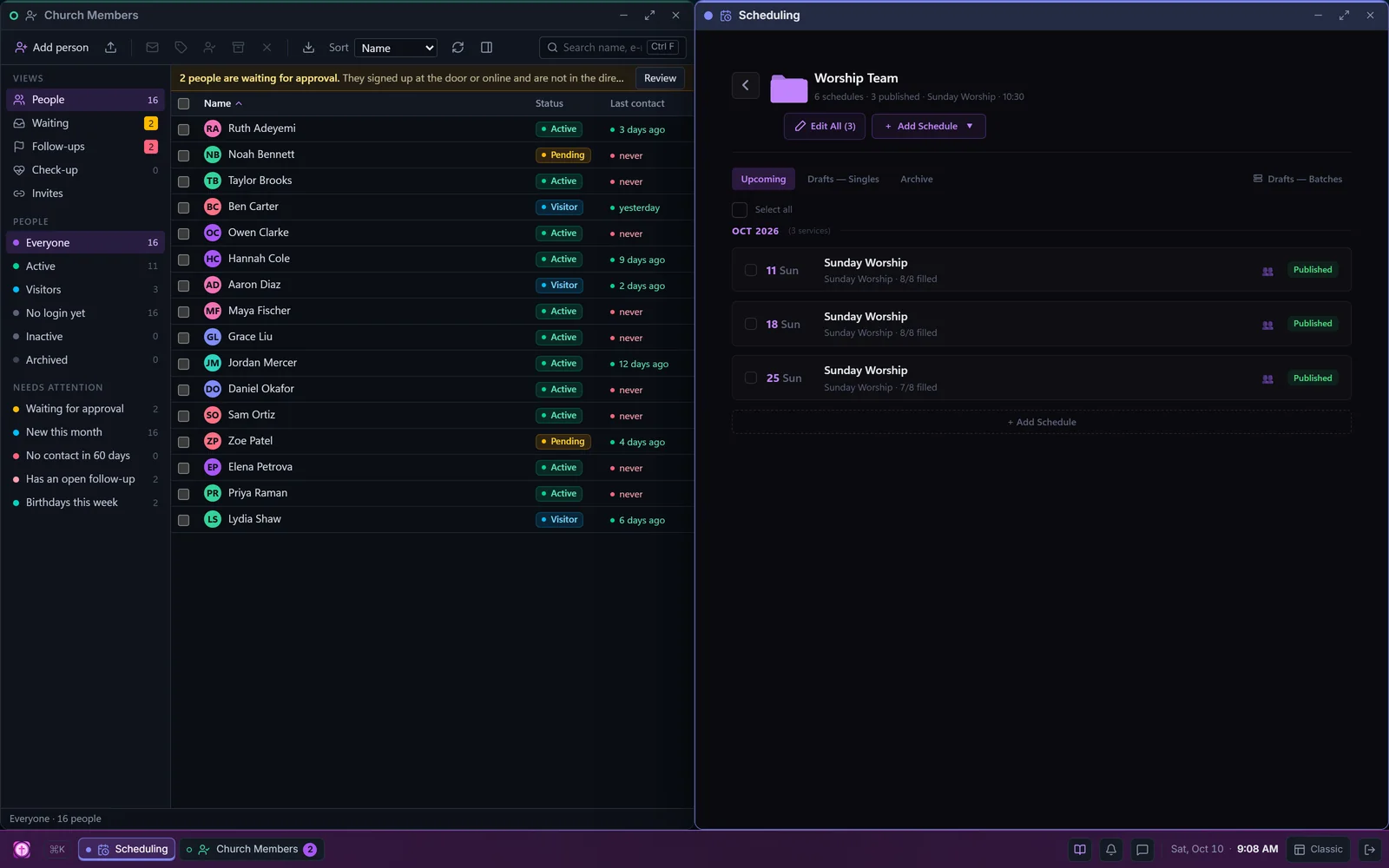
Desktop Mode: Church Members in one window, with its views, a banner about two people waiting for approval and a table of 16 people with status and last contact, beside the Worship Team schedule in another, above a taskbar.
  • Every page, its own windowChurch Members, Scheduling, Messages and the rest open side by side.
  • Snap two at oncePut the people on the left and the schedule on the right.
  • Built for a big screenChurch Members works like a desktop program: views on the left, a sortable table, the person on the right.
  • Start menu and shortcutsSearch any app, move windows, and pick people with arrow keys, Shift and Ctrl.
  • Maximize, minimize, full screenWindows park on the taskbar. F11 hides the browser too.
  • Widgets on the deskWhat needs your attention, what's coming up, a verse for the day.

Prefer the usual layout? One click on Classic switches back.

Made for the band.

The tools a worship team reaches for on a Thursday night, already connected to Sunday's setlist.

11 cards ยท swipe sideways

Stems

Starter and up

Practise with just your part.

Upload a song's recording and Church Canopy splits it into six stems. Turn the drums up, take the vocals out, or solo the bass line until you have it. Try the mixer: it works like the real one.

  • Six stems: vocals, drums, bass, guitar, piano and other
  • A fader, mute and solo for every part, with live level meters
  • Change the key without changing the speed
  • Tempo and key are worked out for you
  • The whole mixer fits on a phone screen

On paid plans, your first separation is free. After that, credit packs start at $4.99 for 5 separations, and credits never expire.

Amazing Grace

Demo arrangement ยท public domain

Key G ยท 84 BPM

Press play, then pull a fader, mute a part or solo one.

Playing in G

Mixer

The demo plays a simple arrangement made in your browser. In Church Canopy the stems come from your own recording.

Go on, move it to A.

Pick a key or put a capo on. Every chord moves with it, and guitarists can read the shapes they will actually play.

Key

Capo
0

Amazing Grace ยท Original key G

AGmazing G7grace, how Csweet the Gsound

That Gsaved a wretch like Dme

I Gonce was G7lost, but Cnow am Gfound

Was Emblind, but Dnow I Gsee

The same key, capo and shapes logic the song viewer uses.

Song library

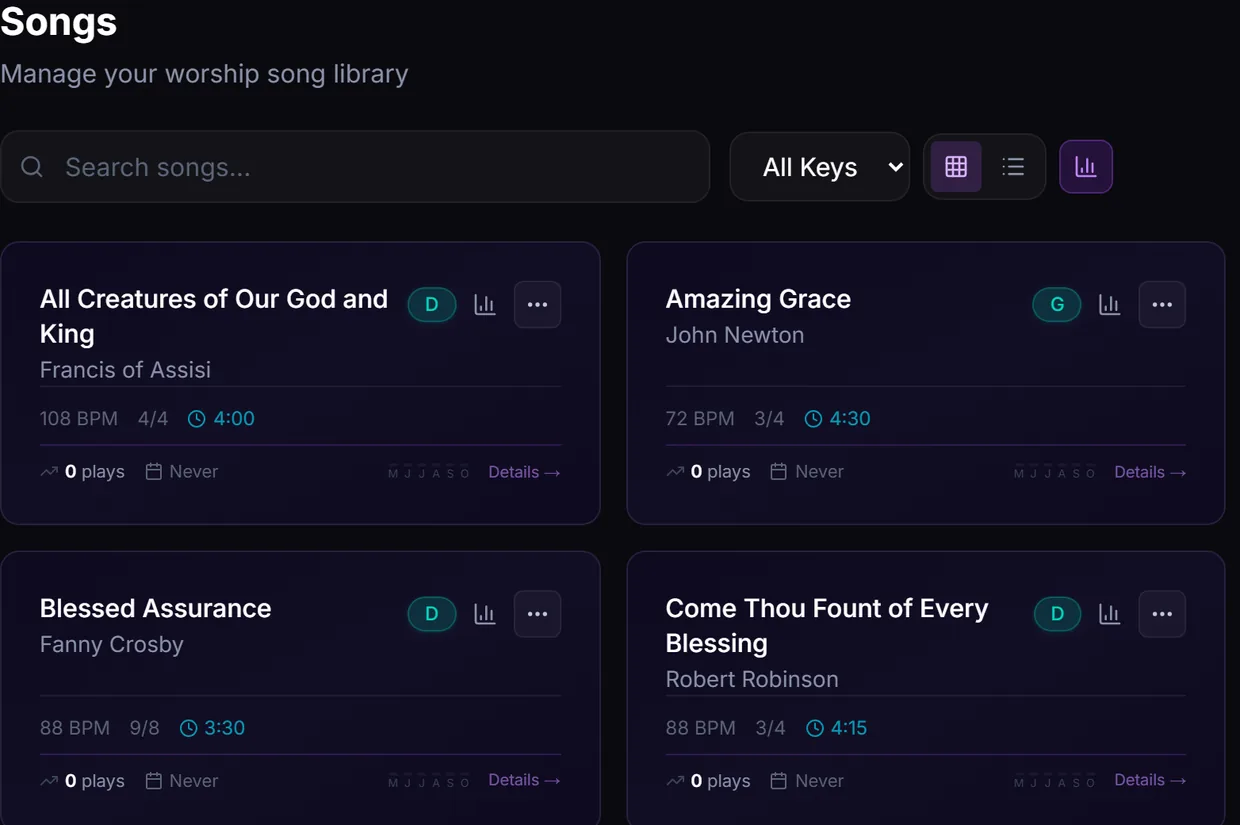
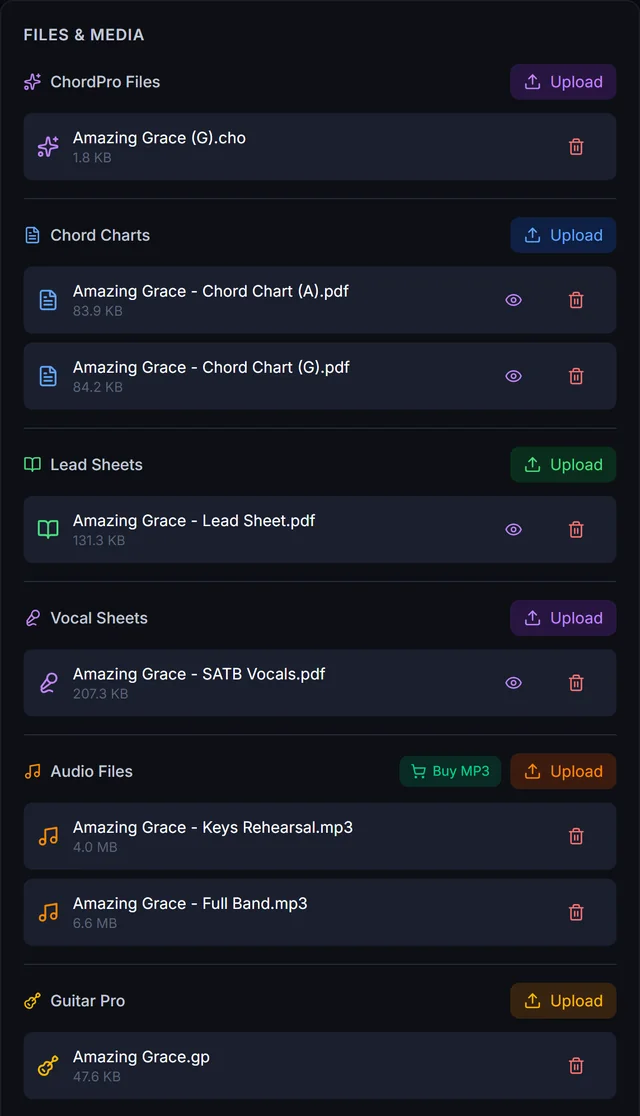
Every song with its key, tempo and time signature, and every file the band needs kept with it.

  • ChordPro charts that transpose to any key
  • Chord charts, lead sheets and vocal parts
  • Rehearsal audio and Guitar Pro files
One song's Files and Media panel: a ChordPro file, two chord charts, a lead sheet, SATB vocal parts, two rehearsal recordings and a Guitar Pro file, each with an upload button.

Lead sheets that play

Every plan

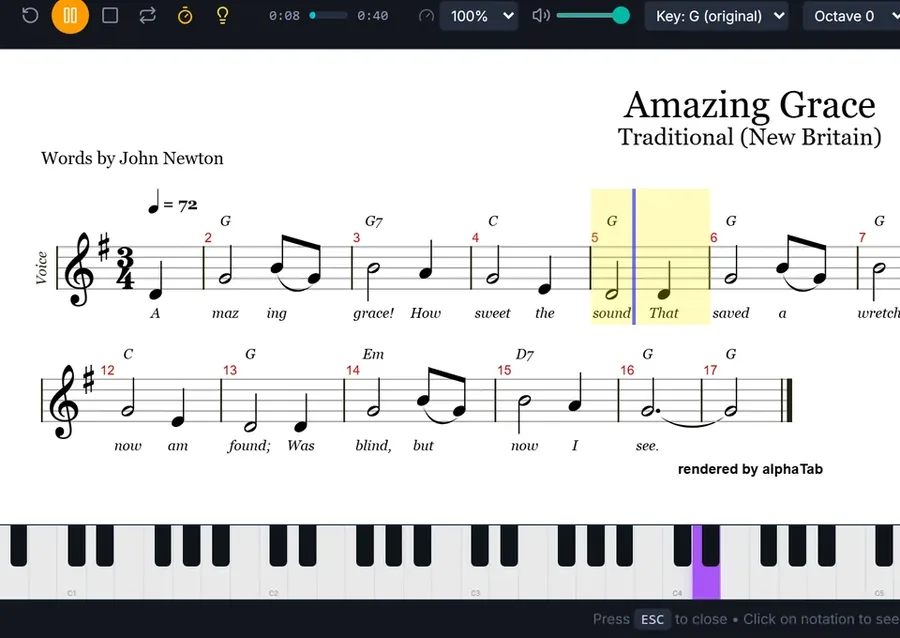
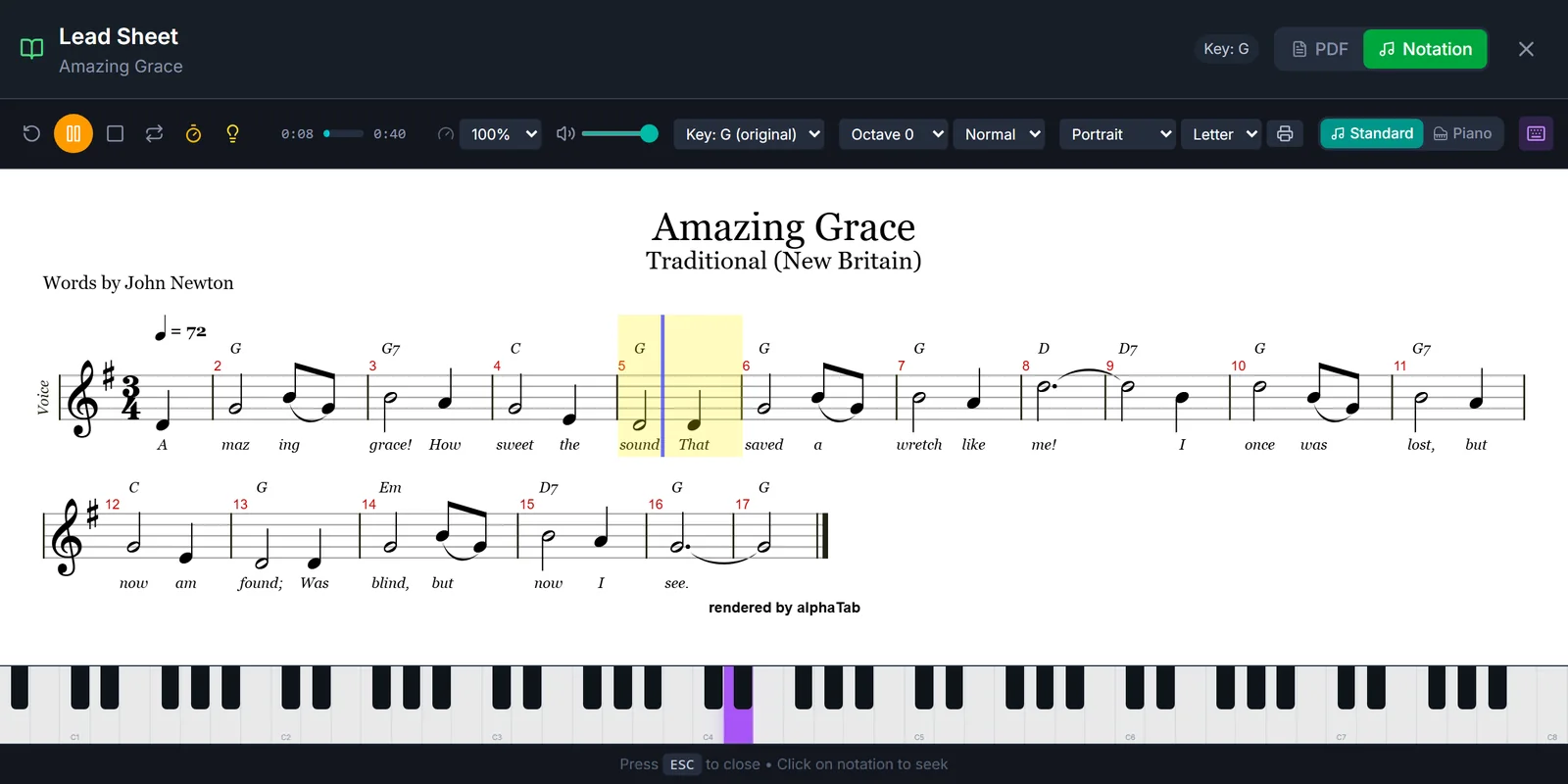
Press play and a cursor follows the melody while the notes light up on a piano. Upload a SongSelect lead or vocal sheet, press Convert, and it becomes notation like this, read straight from the PDF.

  • Change the key, or move it up or down an octave
  • Slow it down, loop it, add a metronome
  • Hear it on a grand piano
  • Print it in portrait or landscape, Letter or A4
Amazing Grace as a lead sheet, playing: melody, chords and lyrics, the cursor on bar 5, the note lit on a piano keyboard, and menus for key, octave, note size, paper and print.

Music collaboration studio

Starter and up

Make a song together without being in the same room.

The drummer records on Monday, the guitarist adds a part on Wednesday, the singers finish it on Friday. Everyone on your team opens the same song in their browser and records their part from home.

  • Everyone hears about it when a new part lands
  • One person's save never wipes out another person's take
  • A metronome and count-in before every take
  • Faders, meters, pan, EQ and reverb, then export a WAV
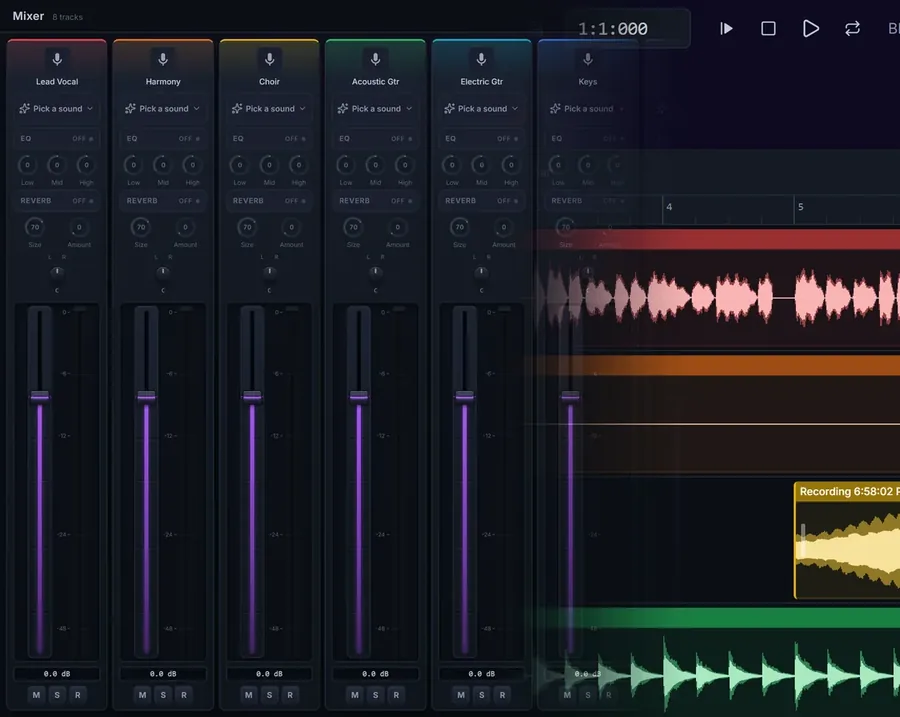
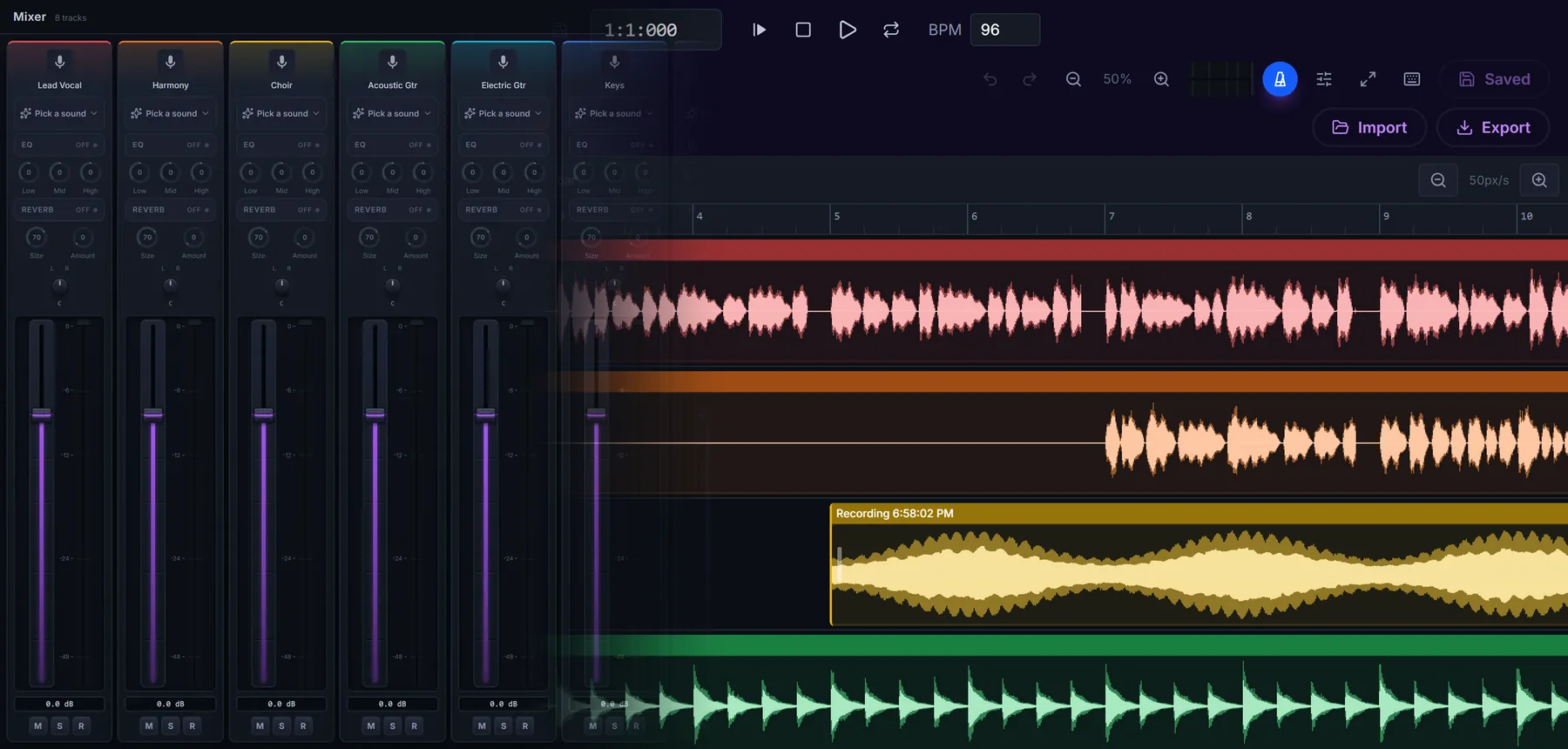
One song in the studio: the mixer's channel strips for lead vocal, harmony, choir and guitars, blending into the timeline where each part is its own recording.

Song Writer

Starter and up

Write lyrics and chords together, hear them play back, and keep every version.

  • Verse, pre-chorus, chorus, bridge, tag and vamp
  • A rhyme finder and a word map of worship words
  • Hear your chords on a built-in piano
  • Version history, so no draft is lost
  • Print a lyric sheet or send it to the song library
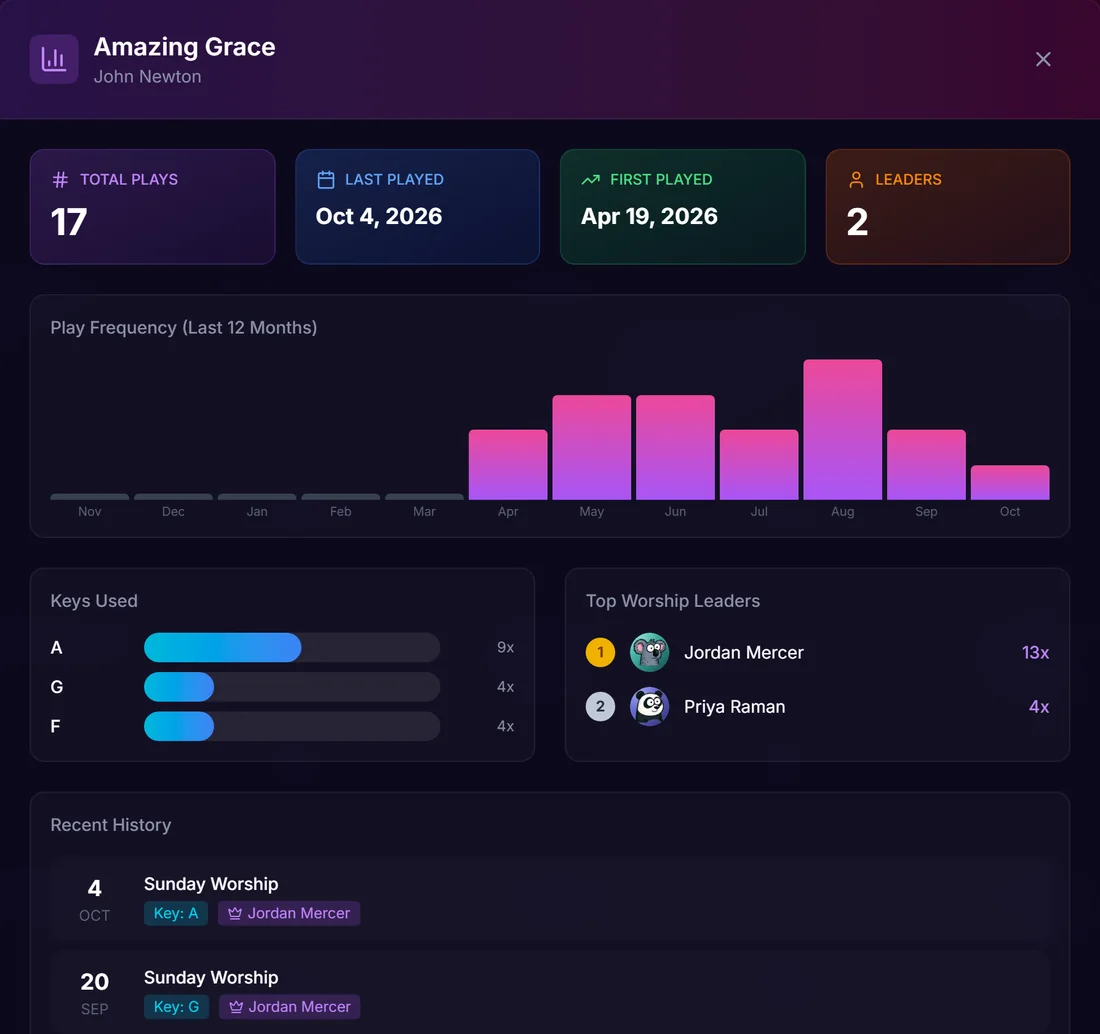
Amazing Grace's history: 17 plays, last played October 4 and first in April, plays by month, keys A, G and F, the two worship leaders who led it most, and the most recent Sundays.

Song history

Know when you last sang it.

Every setlist counts, so nobody keeps a log. Open a song to see how often your church has played it and how it was led.

  • First and last time played, and plays by month
  • Which keys the band used, and how often
  • The worship leaders who led it most
  • Recent Sundays, with the key and the leader

Church Canopy Stage

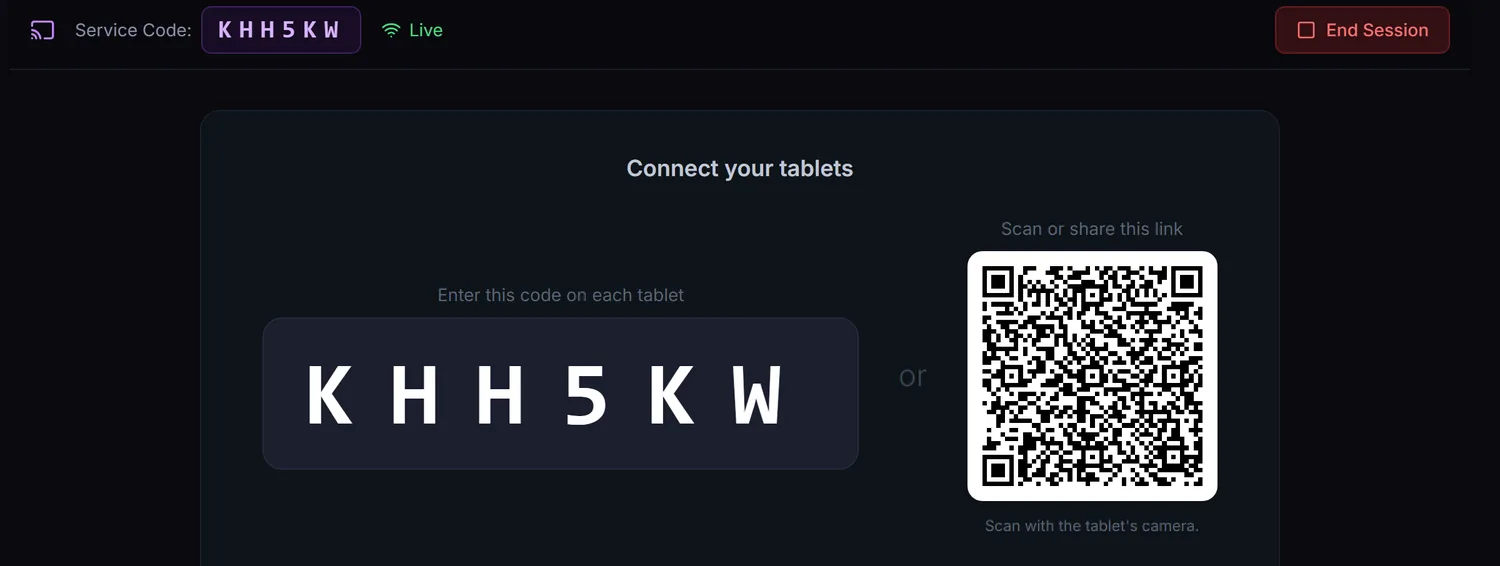
Start a session, connect the band's tablets with one code and load the setlist. Charts follow along in real time.
  • Public-domain hymn library
  • SongSelect lead sheets to notation
  • Auditions at practice
A live Stage session: the six-letter code KHH5KW and a QR code that the band's tablets use to join.
12 musician tools

Every plan

For practice nights and the sound desk, free on every plan.

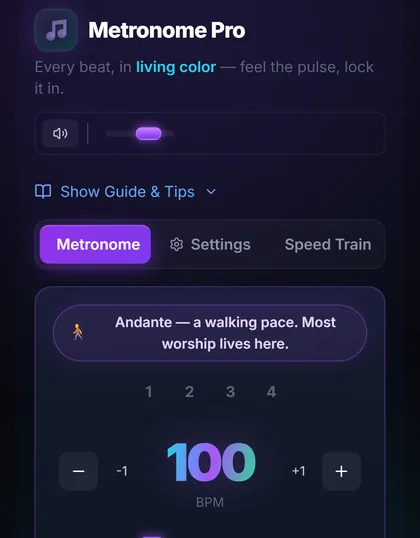
  • Metronome Pro at 100 BPM with a walking-pace hint.
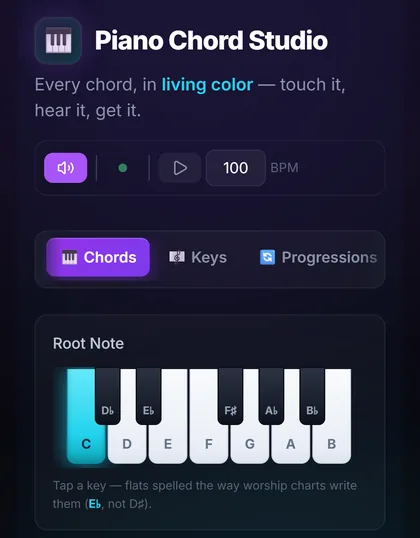
  • Piano Chord Studio with a keyboard showing the chord.
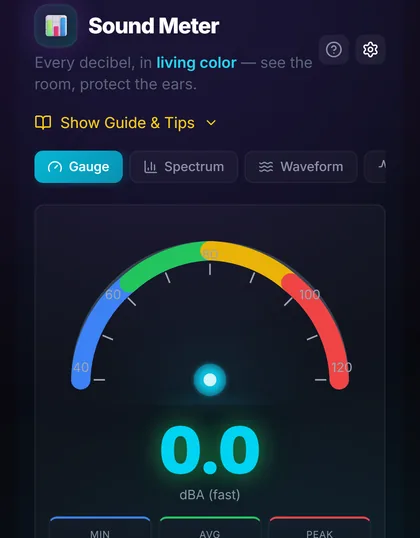
  • Sound Meter gauge for the room's volume in decibels.
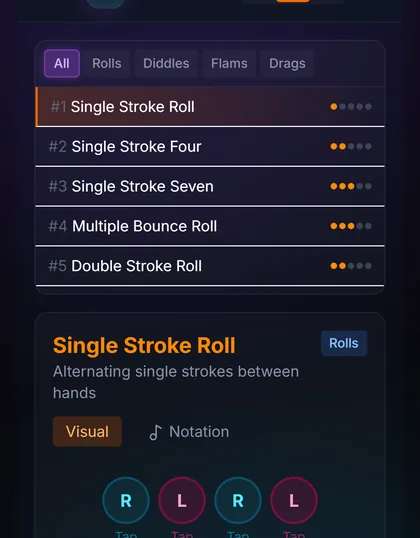
  • Drum Rudiments with the single stroke roll and its sticking.
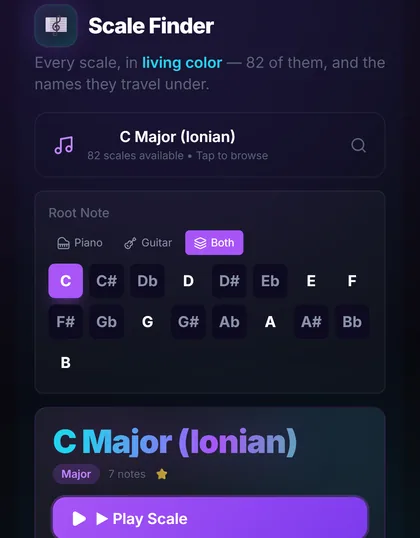
  • Scale Finder showing C major across piano and guitar.
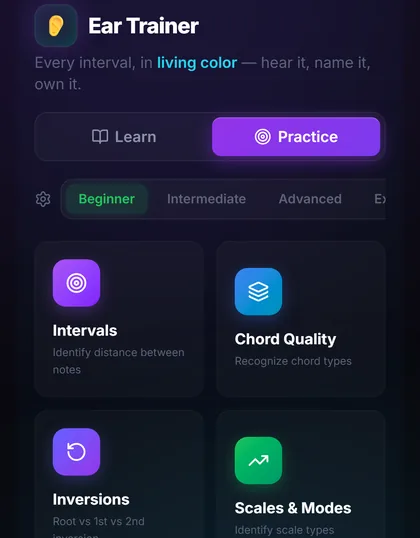
  • Ear Trainer practice: intervals, chord quality, inversions and more.

Stage lighting

Shows: Starter and up

See the lights before you hang them.

Build your stage in 3D, then write a light show for a song, cue by cue. Run the demo stage and change the effect, the haze and the shape of the stage.

  • Real fixtures, listed by maker and model
  • Cues on a timeline that snap to the song's beat
  • Haze, projection screens and your stage's shape
  • Export to QLC+ with the audio, a MIDI cue map or a cue sheet

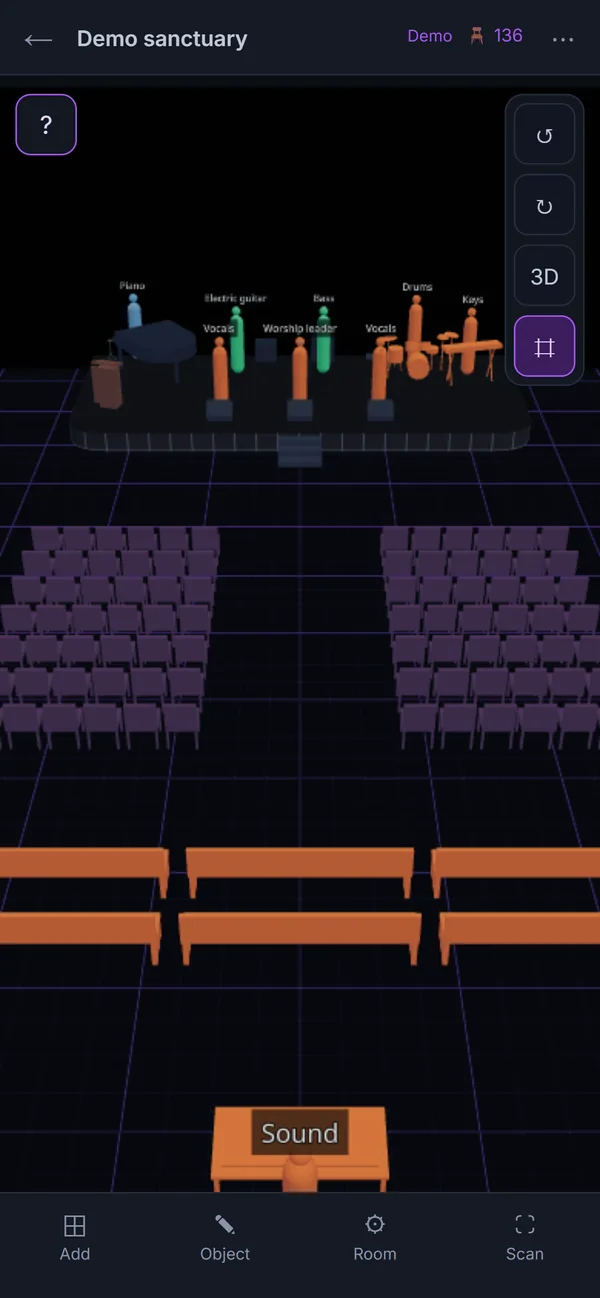
Sanctuary Designer

Every plan

Plan the room in 3D.

Lay out the stage, chairs and pews, mark where each musician stands, and save a plan for Sunday, a wedding or a concert. For your team accounts.

  • Rows of chairs in one step, up to 3,000 pieces a plan
  • Switch between 3D and a top-down 2D view
  • Place your scheduled team on the stage
  • Open the demo room and move things around: nothing is saved

40 website designs that look like a real church.

Pick a design, add your photos and service times, and publish. The website is included on the free plan.

  • A free yourchurch.churchcanopy.com address on every plan
  • Connect a domain you already own on Starter and up
  • A sermons page that fills itself from your YouTube channel
  • Events, photo galleries and service times, edited in one place
  • Built-in visitor analytics
1 / 8
The Luminous church website design, shown with a sample church.

8 of the 40 designs, shown with a sample church and stock photos.

Sunday, for everyone who couldn't make it.

Post last week's service where your people already are: on your church website and in the app.

2 cards ยท swipe sideways

Recordings, no YouTube needed

Add-on from $19/mo

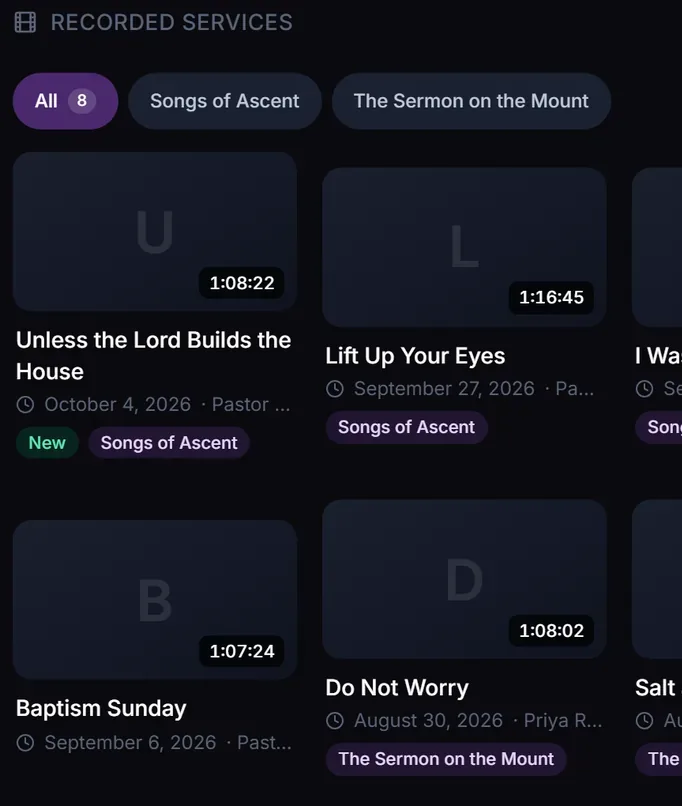
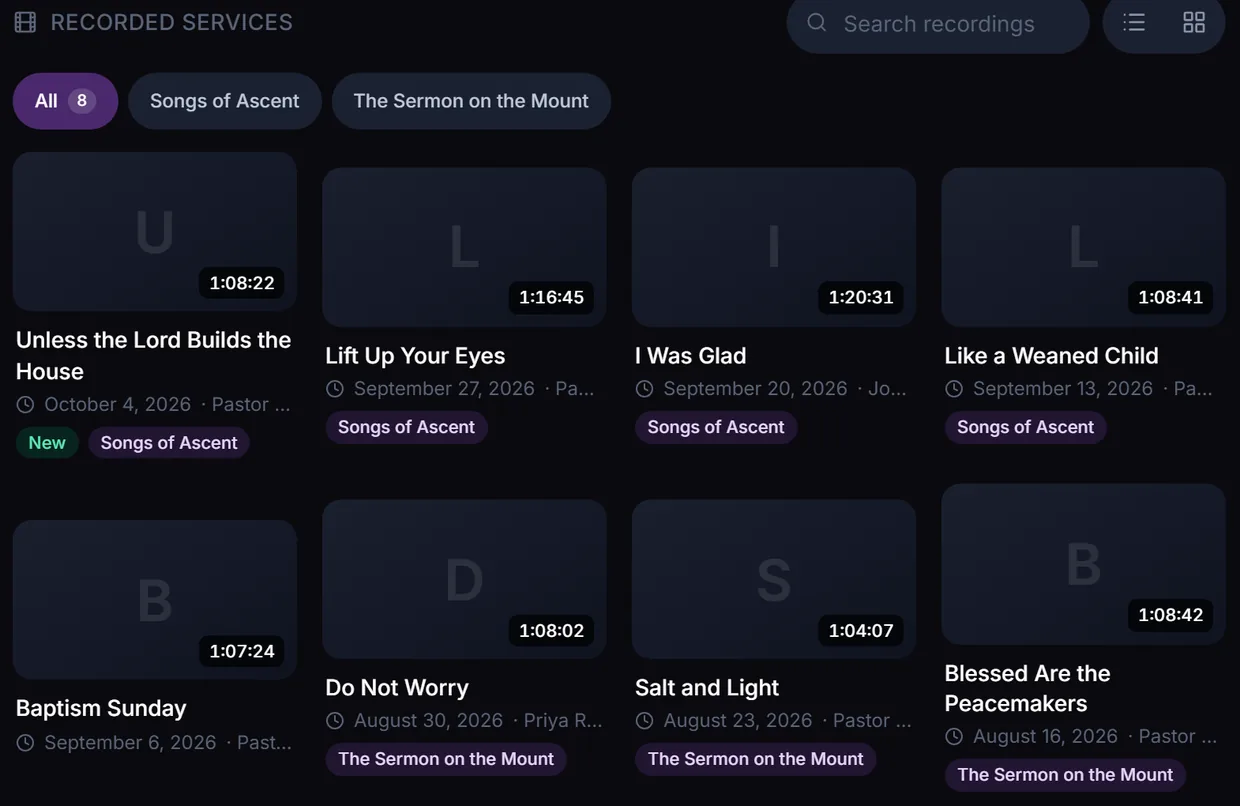
Upload Sunday's recording and it plays on your church website and in the app, with no ads. Watching is never metered: only the hours you store count.

  • MP4 or MOV from OBS, a phone, a camera or Zoom, straight from the browser
  • Public, unlisted (link only) or members only, per recording
  • Chapters, playback speed, 10-second skips and resume
  • Sorted by speaker and series
Recorded services: series filters and eight sermons with their length, date, speaker and series.

Live streaming

Early accessOwn monthly plan, with a paid base plan

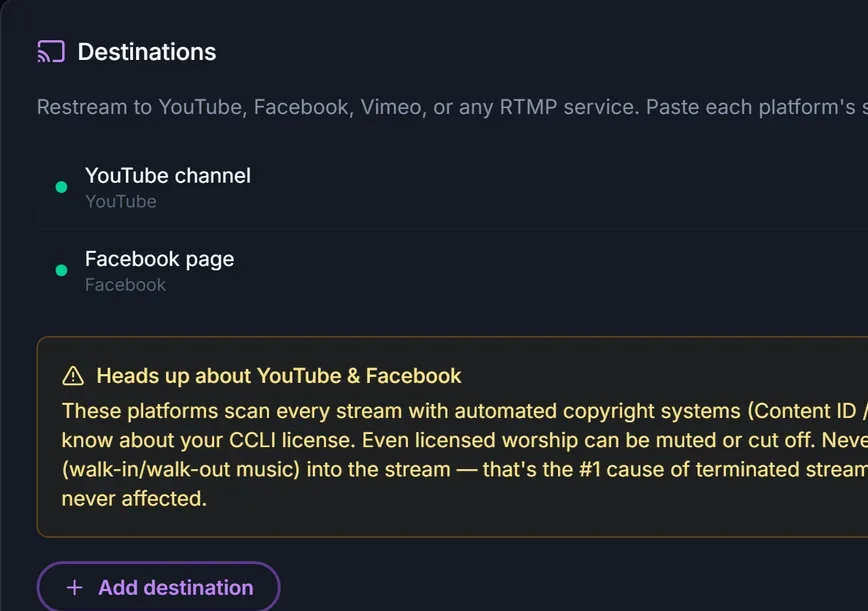
Go live from OBS, ATEM or vMix to your own church page, and to YouTube, Facebook or Vimeo at the same time. It isn't switched on for every church yet.

  • Choose who can watch your page: signed-in members, or everyone
  • Live-only mode clears the recording minutes after you finish
  • Event Passes lift your viewer limit for a wedding or a funeral
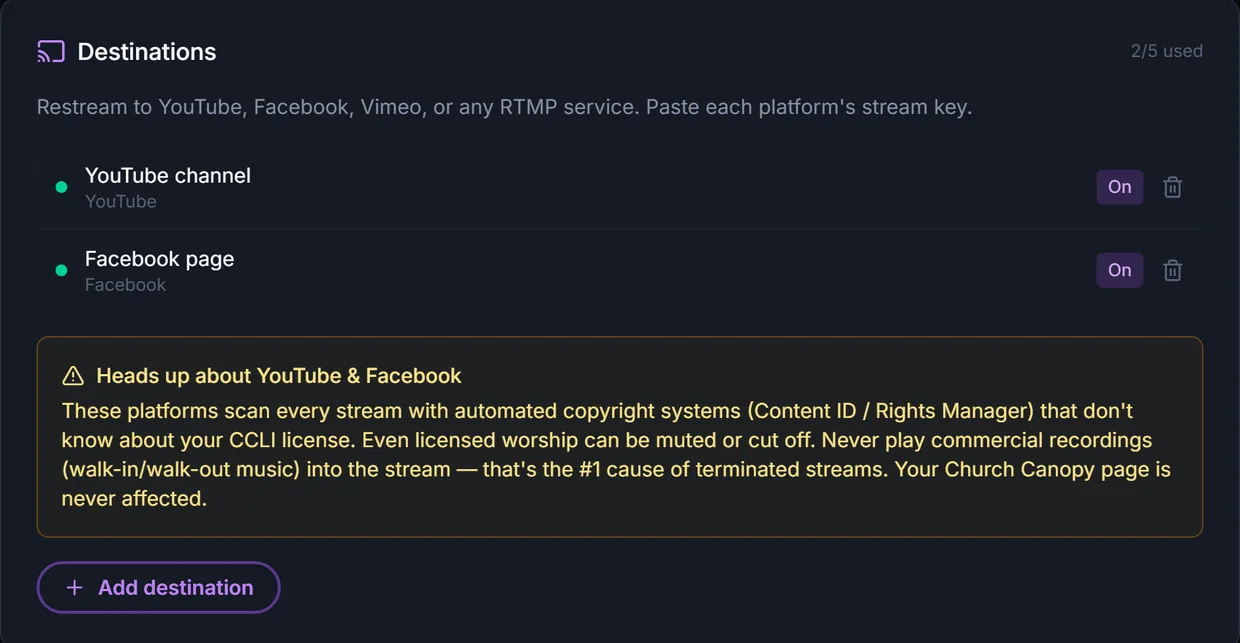
Streaming destinations: a YouTube channel and a Facebook page switched on, with a heads-up about copyright checks on those platforms.

For the whole church, all week.

Your congregation signs in too. This is what they find, and how they give.

4 cards ยท swipe sideways

Three translations, side by side

Every plan

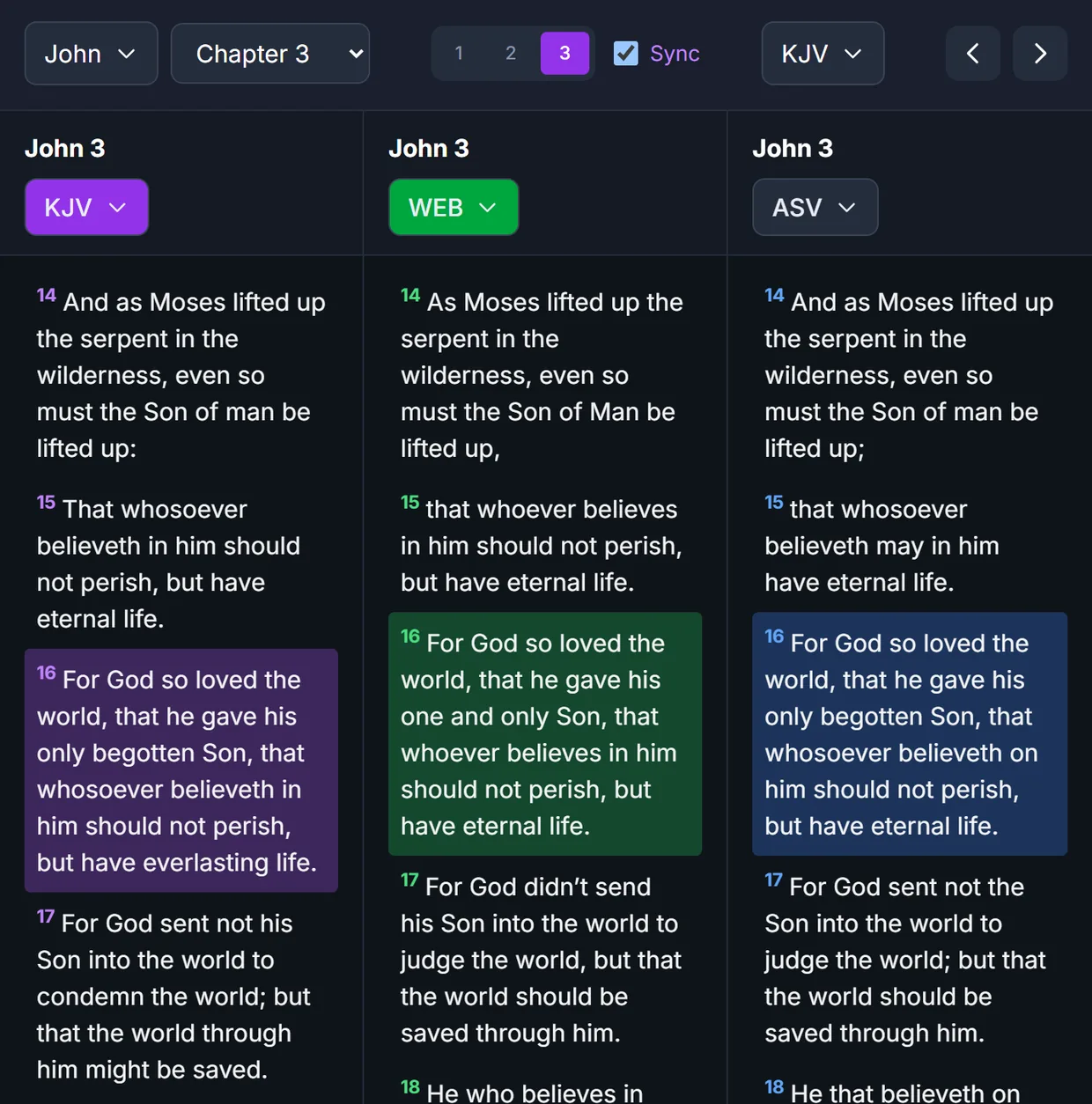
On a laptop or tablet, read up to three translations at once, kept in step as you scroll. Tap a word for its Greek or Hebrew meaning.

  • Pick each column's translation, such as KJV, WEB and ASV
  • Strong's numbers and a Hebrew and Greek interlinear
  • Bookmarks, highlights and notes on any verse
  • Bible maps, a dictionary and search
John 3 in three columns, KJV, WEB and ASV, scrolled together with verse 16 highlighted in each.

Business directory

Pro and up

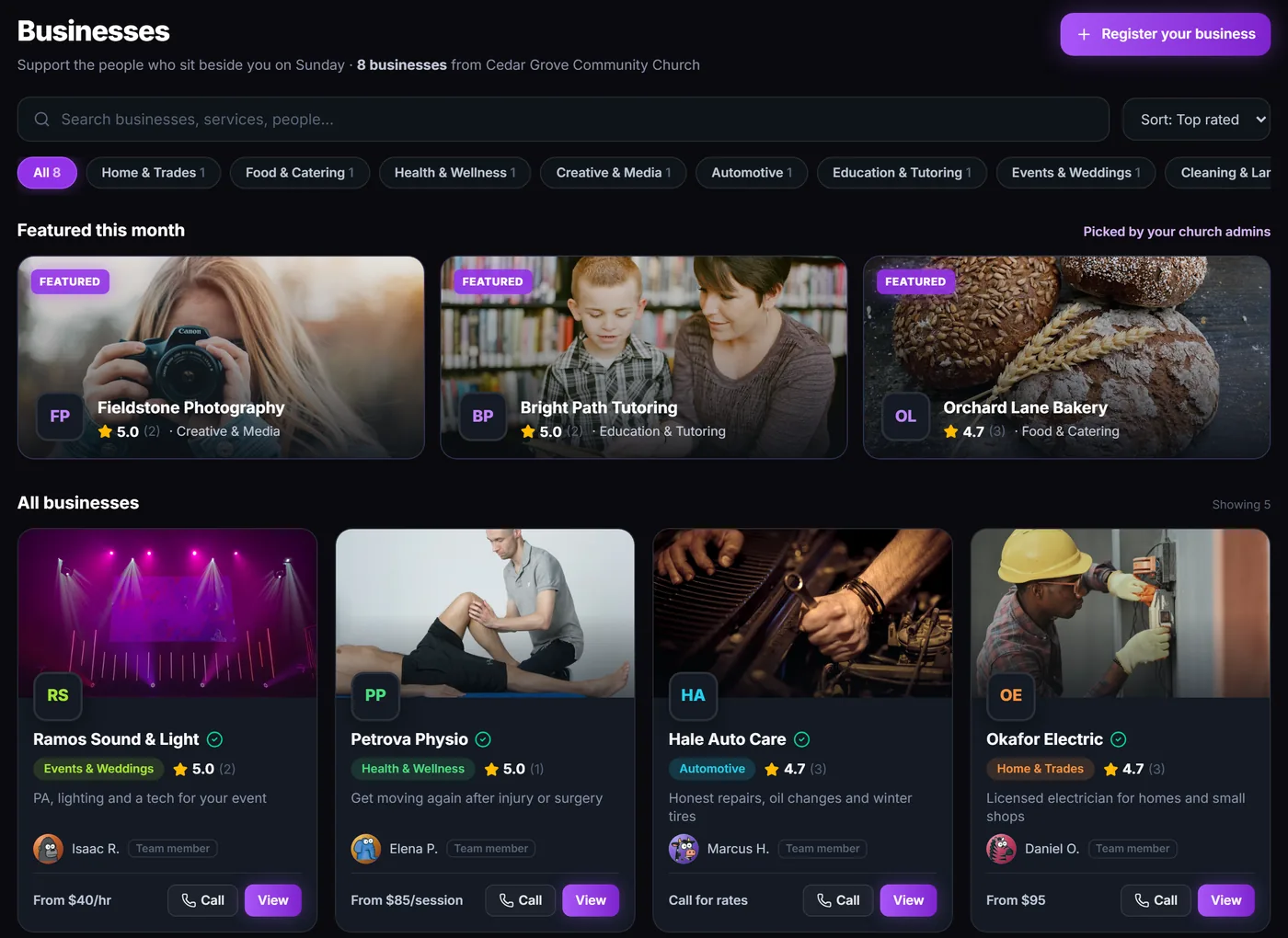
Members list the plumber, the baker and the piano teacher. An admin approves every listing before anyone sees it.

  • Photos, services and prices on every listing
  • Call, email, website and directions buttons
  • Star reviews from your church
  • Featured spots picked by your admins
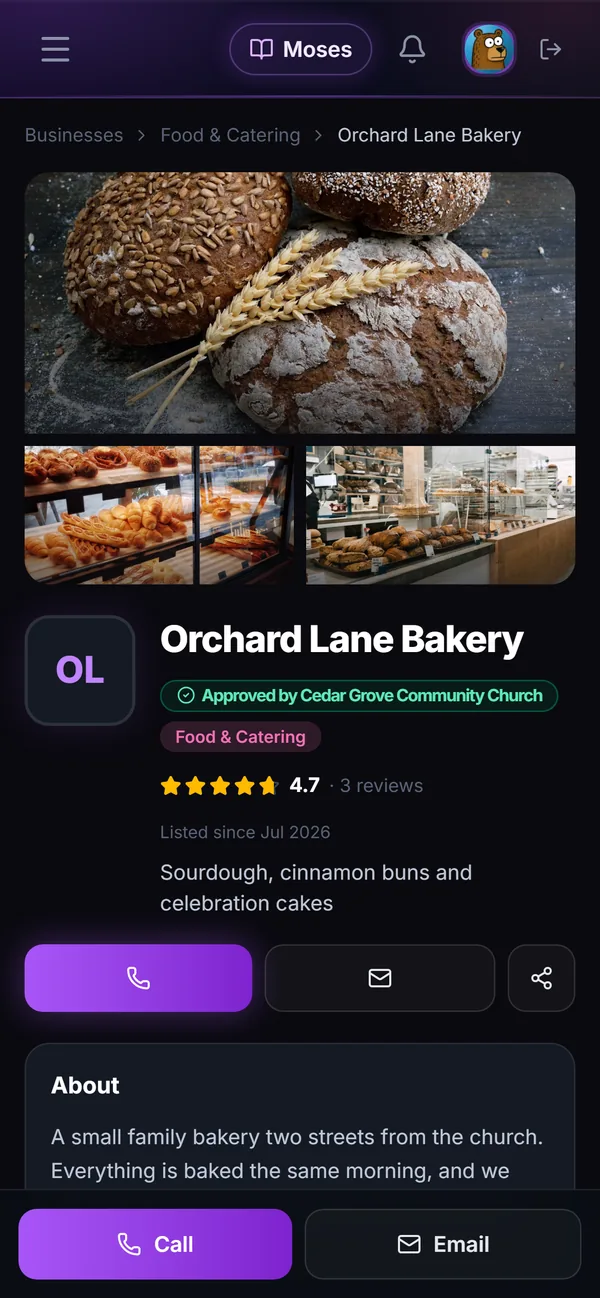
A bakery listing on a phone: photos, Approved by the church, 4.7 stars from 3 reviews, and Call and Email buttons.

A giving page for every church

Every plan

Your current donation link, e-Transfer details, text-to-give and mailing address on one page. It shows on your website and Welcome Hub.

  • One link to share wherever people give
  • QR codes for the lobby and the bulletin, on Starter and up

Online giving

Early accessUS and CanadaStarter and up

One-time and recurring gifts, paid out through Stripe to your church's own account. Card fees are Stripe's; Church Canopy adds no platform fee. Not switched on for every church yet.

  • Donors change or stop their own recurring gift from an emailed link
  • Funds, donors and offline cash or cheque gifts in one ledger
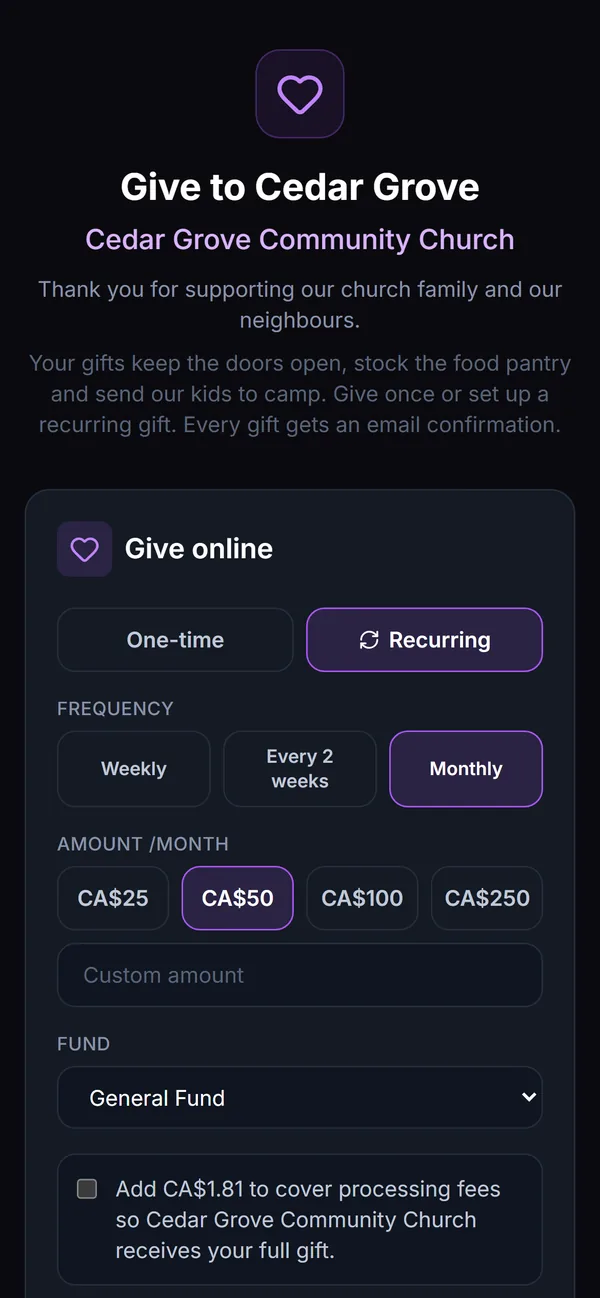
A donation page on a phone with a recurring gift: weekly, every two weeks or monthly, an amount and a fund.

QR codes, ready to print

Starter and up

Make a code for the welcome page, a sign-up form or the giving page, then print it for the lobby, the bulletin or the welcome table.

  • Point it at your Welcome Hub, a form, giving, the calendar or any link
  • Business cards, posters, bulletin inserts, door hangers and Avery 5160 labels
  • Colour themes, Christmas and Easter included
  • Scan counts for codes that open your church's pages
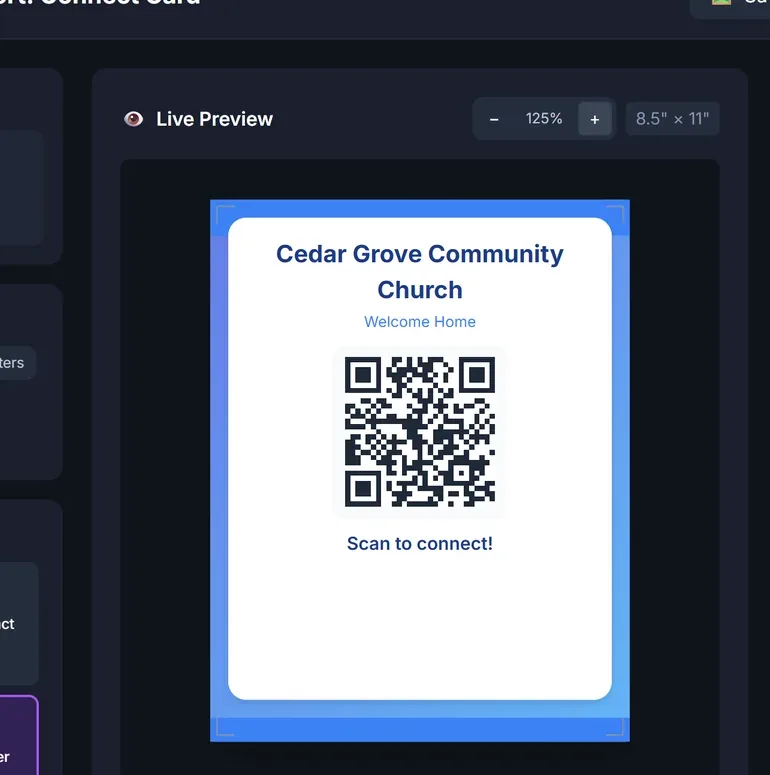
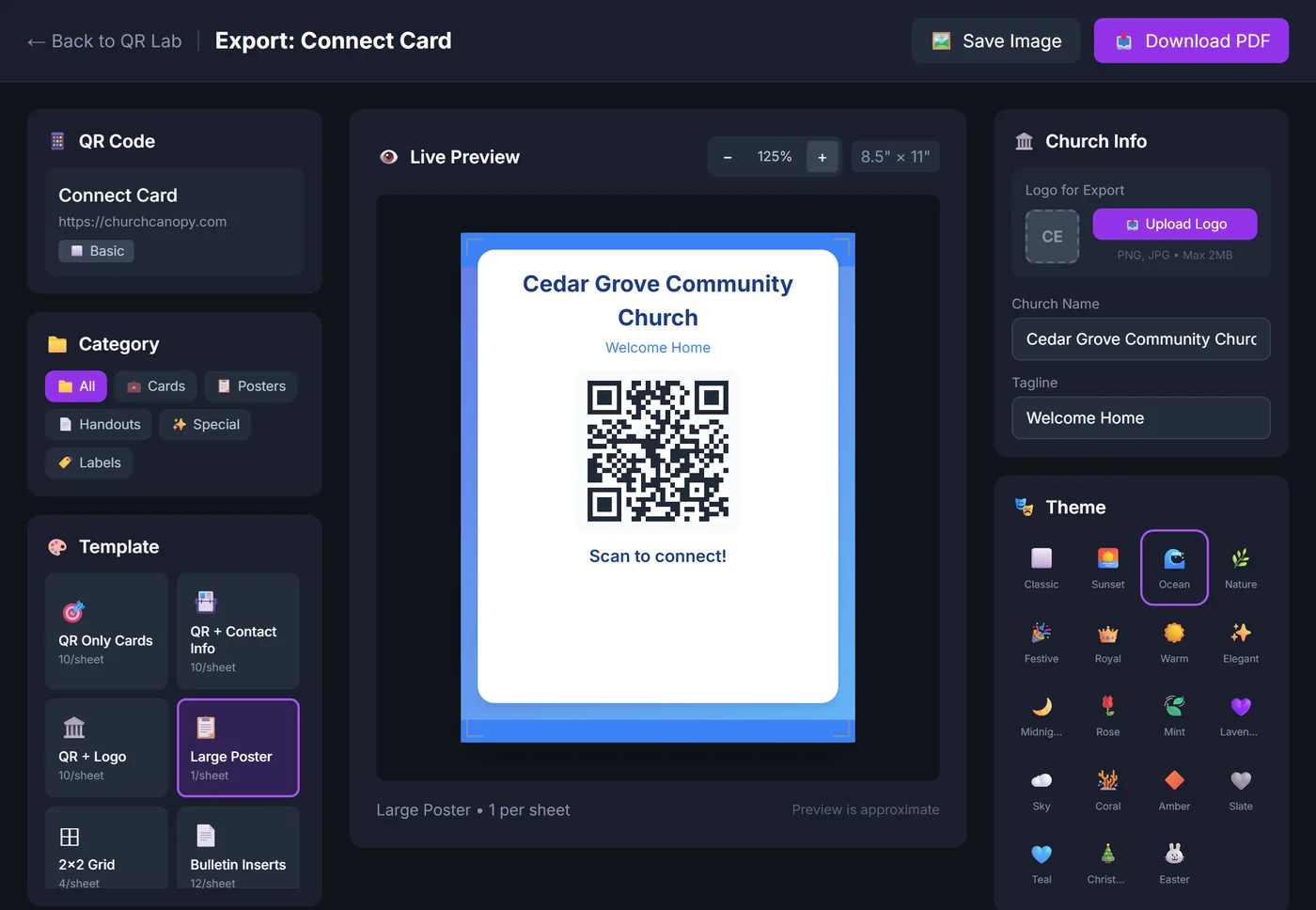
QR Code Lab's export page: a connect-card QR code as a large poster in the Ocean theme, with print templates, categories, church details and nineteen colour themes.

One app for the whole church.

A Starter+ or Pro+ tag shows the plan a feature starts on. Add-ons show their own price, and early-access modules say so. Anything without a tag is on the free plan too.

  • Worship & music

    • Auto-scheduler
    • Setlists with keys and singers
    • Stage view for the band's tablets

    +10 more

  • Kids & families

    Starter+
    • Self check-in kiosk
    • Security codes and safe pickup
    • Name labels at check-in

    +5 more

  • Groups & rooms

    • Small groups and ministries
    • Room booking with approvals
    • Church calendar

    +3 more

  • Communication

    • Team channels
    • Push notifications
    • Emailed schedules and setlists

    +3 more

  • People & admin

    • Team skills and roles
    • Newcomer, membership and baptism forms
    • Invite links and QR posters

    +4 more

  • Website, media & giving

    • Website builder, 40 designs
    • Recordings without YouTube
    • Giving page and donation links

    +8 more

See all 51 features and which plan they start on

Worship & music

  • Auto-scheduler
  • Setlists with keys and singers
  • Stage view for the band's tablets
  • Availability and blockout dates
  • Song library with ChordPro charts
  • Transpose and capo charts
  • Public-domain hymn library
  • SongSelect lead sheets to notation
  • Music Studio recordingStarter+
  • Song WriterStarter+
  • Sanctuary Designer in 3D
  • 12 musician tools
  • Auditions at practice

Kids & families

Starter+
  • Self check-in kiosk
  • Security codes and safe pickup
  • Name labels at check-in
  • Pickup alerts on parents' phones
  • Family Pass QR code
  • Allergy and medical notes
  • Lessons and curriculum
  • Attendance and reports

Groups & rooms

  • Small groups and ministriesStarter+
  • Room booking with approvalsStarter+
  • Church calendar
  • Prayer wallStarter+
  • Sign-up sheetsStarter+
  • Group files and notesStarter+

Communication

  • Team channelsStarter+
  • Push notifications
  • Emailed schedules and setlists
  • Direct messagesStarter+
  • PollsStarter+
  • Notification settings per person

People & admin

  • Team skills and roles
  • Newcomer, membership and baptism formsStarter+
  • Invite links and QR posters
  • Church member directory
  • Custom forms with ownersStarter+
  • QR Code LabStarter+
  • Policies and safeguarding protocols

Website, media & giving

  • Website builder, 40 designs
  • Recordings without YouTubeAdd-on from $19/mo
  • Giving page and donation links
  • Your own domainStarter+
  • Sermons from YouTube
  • Live streamingEarly accessStarter+Add-on from $29/mo
  • Online giving (US and Canada)Early accessStarter+
  • Welcome Hub for visitors
  • Church business directoryPro+
  • Bible with three translations side by side
  • Christian radio

You'll talk to the person who builds it.

No sales call to sit through and no demo to book. Email support@worshipteamsync.com and the reply comes from the person who builds Church Canopy.

  • 40church website designs
  • 12musician tools on every plan
  • 3Bible translations side by side
  • 3,000pieces in one sanctuary plan
  • 4months to try the Starter modules free, at trial limits

Pricing

Start free. Pay when you grow.

New churches can try the Starter modules free for 4 months, at trial limits: team chat, groups, room booking, forms, kids check-in and the music studio. No card.

Free

$0/mo

Up to 25 members

Scheduling, 20 songs, a church website and every music tool.

Start free

Starter

$29/mo

Up to 50 members

Adds messaging, groups, room booking, forms, kids check-in and the music studio.

Start free, upgrade later

Pro

$79/mo

Up to 150 members

Room to grow: 200 songs, 10 rooms and 75 registered children.

Start free, upgrade later

Church

$179/mo

Up to 500 members

No cap on songs, teams, rooms, forms or registered children.

Start free, upgrade later

Paying yearly saves about 17%.

Compare every plan

FAQ

Questions, answered

Can't find what you're looking for? Email support@worshipteamsync.com and you'll get a reply from the person who builds it. Already signed up? Use Help & Feedback in your dashboard.

Church Canopy is built for the people who run your church, and everyone who shows up. It handles scheduling and availability, song libraries with ChordPro and transposition, drag-and-drop setlists, team messaging, room booking, kids check-in, a public church website and much more, all in one place. Think of it as the hub your whole church runs from, Sunday to Sunday.

Click "Start free" to create your church account. You'll set your church name, timezone and service times. Then invite your team by email (musicians, tech, kids workers, greeters) and share a join link with the congregation. The setup wizard walks you through it, and you can start scheduling before everyone has accepted their invite.

The Free plan includes scheduling, a 20-song library, up to 25 members, a church website, a giving page for your donation links, Bible study and all 12 music tools. No credit card. Messaging, room booking, groups, forms, kids check-in and the music studio start on Starter ($29/mo). New churches can try those free for 4 months first, at trial limits, so you can try everything before deciding.

No. Church Canopy runs in any browser on any device: phone, tablet or desktop. There are also apps for iPhone and Android, on the App Store and Google Play, with native push notifications. Everyone can use whichever they prefer, and everything stays in sync.

Get this Sunday sorted.

  1. Add your church.
  2. Invite your people.
  3. Publish a Sunday.

The free plan stays free.

Start free